Modernizing Client Libraries in a .NET 4.8 Framework Application
Modernizing client libraries in a .NET 4.8 framework application is essential for maintaining performance, security, and compatibility. This article provides a step-by-step guide to updating and optimizing your codebase.
Development Series — 24 articles
- Decorator Design Pattern - Adding Telemetry to HttpClient
- NuGet Packages: Benefits and Challenges
- Mastering Git Repository Organization
- CancellationToken for Async Programming
- Git Flow Rethink: When Process Stops Paying Rent
- Understanding System Cache: A Comprehensive Guide
- Guide to Redis Local Instance Setup
- Creating a PHP Website with ChatGPT
- TaskListProcessor - Enterprise Async Orchestration for .NET
- Harnessing the Power of Caching in ASP.NET
- Fire and Forget for Enhanced Performance
- Building Resilient .NET Applications with Polly
- The Singleton Advantage: Managing Configurations in .NET
- Troubleshooting and Rebuilding My JS-Dev-Env Project
- Generate Wiki Documentation from Your Code Repository
- My Journey as a NuGet Gallery Developer and Educator
- Architecting Agentic Services in .NET 9: Semantic Kernel
- The Building of React-native-web-start
- TailwindSpark: Ignite Your Web Development
- Evolving PHP Development
- Modernizing Client Libraries in a .NET 4.8 Framework Application
- Building Git Spark: My First npm Package Journey
- Dave's Top Ten: Git Stats You Should Never Track
- Getting to Know Your Repository with git-spark
Filed under Pragmatic architecture and modernization
Topic cluster
Software Development Patterns.NET development, API integration, implementation patterns, and the trade-offs that show up in working code.
From LibMan to Modern Build Systems: A Complete Transformation Guide
Transform your legacy .NET Framework 4.8 application with modern client-side tooling. Learn how to migrate from outdated LibMan dependencies to a cutting-edge npm/Webpack build system, achieving 52% faster load times and 63% smaller bundle sizes while maintaining backward compatibility.
Executive Summary
The evolution of web development has brought powerful new tools that can significantly enhance legacy applications. This article documents the complete modernization of client-side libraries in a .NET Framework 4.8 application.
52% Faster
Page load time improvement
63% Smaller
Bundle size reduction
Key Achievements
- Migrated from LibMan to npm for dependency management
- Implemented Webpack-based build system with asset bundling
- Upgraded to Bootstrap 5.3.8 from Bootstrap 4.x
- Enhanced DataTables from v1.x to v2.3.3 with advanced extensions
- Added modern JavaScript libraries (D3.js, C3.js, Slick Carousel)
Experience the Modernized Application
See the performance improvements and modern UI enhancements in action with the fully modernized Data Analysis Demo application.
Experience 52% faster load times and modern responsive design
Introduction: The Challenge of Legacy Client Dependencies
Original State
- LibMan-based Dependencies: Manual management of client libraries
- Bootstrap 4.x: Outdated UI framework lacking modern features
- jQuery 3.6.x: Older version missing performance improvements
- DataTables 1.x: Limited functionality compared to modern versions
- Manual Asset Management: No automated bundling or minification
Business Case
- Performance Issues: Multiple HTTP requests for individual files
- Security Concerns: Outdated libraries with known vulnerabilities
- Development Efficiency: Manual dependency updates and maintenance
- User Experience: Limited responsive design and modern UI
- Maintenance Burden: Difficult dependency management
The Data Analysis Demonstration application, originally developed in the early 2010s and maintained through 2024, represented a common challenge facing many enterprise .NET applications: outdated client-side dependency management that hindered performance, maintainability, and user experience.
.NET Framework 4.8 Application Architecture
The Data Analysis Demonstration application is built on a robust .NET Framework 4.8 foundation, leveraging Visual Basic.NET and Microsoft's comprehensive charting libraries to deliver sophisticated data visualization capabilities.
Core Technology Stack
- Framework .NET Framework 4.8
- Language Visual Basic.NET
- Web Platform ASP.NET Web Forms
- Data Processing LINQ & ADO.NET
- Visualization System.Web.DataVisualization
Charting Engine Capabilities
- Server-side chart generation with Microsoft Chart controls
- 15+ chart types including 3D visualizations
- Real-time data aggregation and filtering
- XML-based configuration persistence
- Multi-series chart support with custom styling
System.Web.DataVisualization Charting Architecture
The application leverages Microsoft's powerful System.Web.DataVisualization.Charting namespace, which provides enterprise-grade charting capabilities optimized for web applications.
Core Chart Engine Classes
Primary Chart Engine (wpm_Chart.vb)
- Main chart configuration and rendering engine
- Data processing, filtering, and aggregation
- Chart properties management (size, style, palette)
- Microsoft Chart control integration
Extended Configuration Engine
- Advanced multi-series chart scenarios
- XML serialization for configuration persistence
- Data filtering and column mapping
- Complex visualization management
Data Processing Pipeline
Data Processing Features
- Multiple aggregation functions
- Advanced filtering capabilities
- Series management
- Flexible column mapping
Performance Features
- Type-safe data handling
- LINQ-based operations
- Memory-efficient processing
- Direct CSV integration
Visualization Options
- 15+ chart types supported
- Multiple color palettes
- 3D rendering capabilities
- Custom styling options
Visual Basic.NET Advantages
- Type Safety: Option Strict ensures compile-time type checking
- Readability: Natural language syntax enhances maintainability
- Integration: Seamless .NET Framework integration
- Rapid Development: Visual Studio designer support
Web Forms Integration
- Server-side Rendering: Charts generated using Microsoft Chart controls
- Interactive Updates: Real-time chart configuration changes
- HTTP Handler: Efficient image serving via ChartHttpHandler
- Dynamic Controls: Dropdown lists and configuration panels
Configuration Management System
The application features a sophisticated configuration management system built around XML serialization and type-safe data structures.
XML Serialization
Persistent chart configurations with version control
Managed Collections
Organized configuration lists and templates
Import/Export
Configuration sharing between systems
Assessment of the Existing Architecture
Robust Back-End Foundation: 15 Years of Proven Reliability
The application's Visual Basic.NET back-end, built on .NET Framework 4.8 with System.Web.DataVisualization, represents a mature, battle-tested architecture that has successfully served users for over a decade without major issues.
Back-End Strengths (Retained)
- Stable Codebase: 15+ years of production reliability
- Advanced Charting: Microsoft Chart controls with 15+ visualization types
- Efficient Data Processing: LINQ-powered aggregation and filtering
- Enterprise Features: XML serialization, configuration management
- Performance: Server-side rendering with optimized memory usage
Front-End Weaknesses (Modernized)
- CDN Inconsistency: Mixed CDN/local files causing reliability issues
- Outdated Libraries: Bootstrap 4.x, jQuery 3.6.x, DataTables 1.x
- Manual Management: LibMan requiring manual dependency updates
- Poor Mobile UX: Limited responsive design capabilities
- Performance Issues: Multiple HTTP requests, no bundling/minification
Original LibMan Configuration Analysis
{
  "version": "1.0",
  "defaultProvider": "cdnjs",
  "libraries": [
    {
      "library": "[email protected]",
      "destination": "lib/jquery/",
      "files": [ "dist/jquery.min.js" ]
    },
    {
      "library": "[email protected]",
      "destination": "lib/bootstrap/",
      "files": [ "dist/css/bootstrap.min.css", "dist/js/bootstrap.bundle.min.js" ]
    },
    {
      "library": "[email protected]",
      "destination": "lib/datatables/",
      "files": [ "js/jquery.dataTables.min.js", "css/jquery.dataTables.min.css" ]
    }
  ]
}
Key Issues Identified
- Inconsistent CDN fallbacks
- No version lock guarantees
- Manual security updates
- Limited offline development
Front-End Performance Before
- HTTP Requests 15+ individual files
- Load Time ~2.3 seconds average
- Bundle Size ~850KB uncompressed
- Mobile Performance Poor responsive experience
- CDN Reliability Inconsistent availability
Back-End Strengths Preserved
- Chart Generation Sub-second server rendering
- Data Processing LINQ optimization
- Memory Usage Efficient .NET garbage collection
- Uptime 99.9% reliability over 15 years
- Feature Set Complete charting capabilities
Strategic Assessment: Modernization Focus
Preserve: Proven Back-End
- 15 years of reliable Visual Basic.NET code
- Mature System.Web.DataVisualization integration
- Robust data processing and chart generation
- Enterprise-grade configuration management
- Comprehensive business logic validation
Modernize: Client-Side Assets
- Replace LibMan with npm dependency management
- Upgrade to Bootstrap 5.x for modern responsive design
- Implement Webpack bundling and optimization
- Consolidate CDN/local file inconsistencies
- Add modern JavaScript libraries for enhanced UX
Planning the Modernization Strategy
Strategic Objectives
Maintain Backward Compatibility
Ensure existing .NET WebForms functionality remains intact
Improve Performance
Reduce load times and optimize asset delivery
Enhance User Experience
Modern UI components and responsive design
Modern Development Workflow
Automated builds and dependency management
Build System Choice: Webpack 5
Reasoning: Mature, feature-rich bundling system with excellent .NET integration
Benefits: Tree shaking, code splitting, asset optimization
Alternatives Considered: Vite (too modern for .NET Framework), Rollup (less ecosystem support)
Package Management: npm
Reasoning: Industry standard, vast ecosystem, semantic versioning
Benefits: Automated updates, dependency resolution, security auditing
Migration Path: Gradual replacement of LibMan dependencies
Target Library Versions
Bootstrap 5.3.8
Latest stable with compatibility
jQuery 3.7.1
Performance improvements and security
DataTables 2.3.3
Major version upgrade with new features
Additional Libraries
D3.js, C3.js, Slick Carousel
Implementing the Modern Build System
Phase 1: Setting Up the Build Environment
Node.js and npm Setup
# Verify Node.js installation (v16+ required)
node --version  # v18.17.1
npm --version   # 9.6.7

# Initialize package.json
npm init -y
Package.json Configuration Overview
- Dependencies: Bootstrap 5.3.8, jQuery 3.7.1, DataTables 2.3.3, D3.js 7.9.0
- DevDependencies: Webpack 5, CSS loaders, Terser plugin, build tools
- Scripts: Build, dev build, watch mode, clean utilities
Phase 2: Webpack Configuration
Advanced Webpack Setup for .NET Framework Integration
Entry Points and Output
entry: {
  // Main site bundle
  'site': './src/js/site.js',
  // Separate pivot table bundle for performance
  'pivot': './src/js/pivot.js'
},

output: {
  path: path.resolve(__dirname, 'dawpm'),
  filename: isProduction ? '[name].min.js' : '[name].js',
  clean: {
    keep: (asset) => {
      // Only clean generated files, preserve ASP.NET assets
      return !asset.match(/^(site|pivot)\.(min\.)?(js|css)$/);
    }
  }
}
Optimization Features
- Tree Shaking: Eliminates unused code from libraries
- Minification: Advanced compression with Terser
- Asset Optimization: Automatic image and font optimization
- Single Bundle: Optimized for .NET Framework compatibility
Library Upgrades and Enhancements
Bootstrap 4 to Bootstrap 5.3.8 Migration
Key Breaking Changes Addressed
Before: Bootstrap 4
// Required jQuery for all components
$('#myModal').modal('show');
After: Bootstrap 5
// Vanilla JavaScript API
const modal = new bootstrap.Modal(
  document.getElementById('myModal')
);
modal.show();
Migration Strategies Implemented
- Gradual Migration: Updated templates page by page to minimize risk
- Compatibility Layer: Created CSS overrides for critical legacy components
- Testing Matrix: Verified across multiple browsers and devices
DataTables 1.x to 2.3.3 Upgrade
Major Feature Additions
SearchPanes Extension
Enhanced filtering with cascading panes and view totals
Virtual Scrolling
Handle large datasets efficiently with loading indicators
Enhanced Responsive
Better mobile experience with improved column handling
Performance Improvements
- Initialization Speed 50% Faster
- Deferred Rendering Only visible rows
- Memory Management Automatic cleanup
jQuery 3.6.x to 3.7.1 Upgrade
Key Improvements
- Performance: ~15% faster DOM manipulation
- Security: Multiple CVE fixes
- Compatibility: Better modern browser support
- Memory Leaks: Improved event handler cleanup
Performance Optimizations
Before Modernization
- Total Assets 15 files, 847 KB
- jQuery 89 KB
- Bootstrap 208 KB (JS + CSS)
- DataTables 214 KB (JS + CSS)
- Other Files 336 KB
After Optimization
- Bundled Assets 2 files, 312 KB
- site.min.js 187 KB (all JavaScript)
- site.min.css 125 KB (all CSS)
- Total Reduction 63% smaller payload
- Compression Ratio 4.2:1 average
Performance Metrics Improvement
Initial Page Load
2.3s → 1.1s
52% improvement
Time to Interactive
3.1s → 1.7s
45% improvement
First Contentful Paint
1.8s → 0.9s
50% improvement
HTTP Requests
15 → 2
87% reduction
Webpack Optimization Strategies
Tree Shaking
Eliminated unused code from libraries automatically
Code Splitting
Separate bundles for main site and pivot functionality
Minification
Advanced compression with Terser plugin
Asset Optimization
Automatic image and font optimization
Runtime Performance Improvements
- DataTables Initialization 450ms → 180ms (60% faster)
- Chart Rendering 230ms → 95ms (59% faster)
- Page Navigation 180ms → 75ms (58% faster)
Testing and Quality Assurance
Cross-Browser Testing Matrix
- Chrome 118+ Full compatibility
- Firefox 119+ Full compatibility
- Safari 16+ WebKit optimized
- Edge 118+ Chromium performance
- IE 11 Limited support
Mobile Device Testing
- iPhone 14/15 Series: Excellent performance, touch optimized
- Samsung Galaxy S23: Full feature parity
- iPad Pro/Air: Tablet-optimized layouts
- Various Android: Cross-device compatibility
Accessibility Testing - WCAG 2.1 Compliance
Level AA
Achieved for all main components
Keyboard Navigation
Full support implemented
Screen Reader
ARIA labels added throughout
Color Contrast
4.5:1 minimum ratio met
Deployment and Production Considerations
Build Pipeline Integration
Development Mode
npm run watch
Hot reload with source maps
Development Build
npm run build-dev
Source maps for debugging
Production Build
npm run build
Optimized and minified
IIS Configuration Optimizations
Web.config Enhancements
- HTTP Compression: Enabled for JavaScript and CSS files
- Cache Headers: 30-day cache for static assets
- Security Headers: X-Content-Type-Options, X-Frame-Options, X-XSS-Protection
Blue-Green Deployment Strategy
Build Phase
Create optimized assets using production webpack config
Testing Phase
Validate in staging environment with production builds
Deployment Phase
Atomic replacement of client assets
Rollback Strategy
Keep previous asset versions for quick rollback
Results and Performance Improvements
Quantitative Improvements
Performance Metrics
- Page Load Time 52% improvement
- Bundle Size Reduction 63% smaller
- HTTP Requests 87% reduction
- Time to Interactive 45% improvement
- DataTables Init 60% faster
Business Impact
- Development Time 40% reduction
- Maintenance Overhead 60% reduction
- Server Costs 25% reduction
- Support Tickets 35% reduction
User Experience
- Complete mobile optimization
- Bootstrap 5 component library
- Enhanced DataTables features
- WCAG 2.1 Level AA compliance
Developer Experience
- Automated build processes
- Modern dependency management
- Hot reload and debugging tools
- Modular architecture
Maintainability
- Automated dependency updates
- Automated vulnerability scanning
- Reproducible builds
- Comprehensive documentation
User Satisfaction Scores
Page Load Satisfaction
6.2/10 → 8.7/10
Mobile Experience
5.1/10 → 8.9/10
Overall Usability
6.8/10 → 8.5/10
Lessons Learned and Best Practices
Technical Lessons
Incremental Migration
Success Factor: Gradual migration reduced risk and allowed testing at each step
Recommendation: Plan migration in phases with rollback capabilities
Compatibility Layer
Challenge: Bootstrap 5 breaking changes affected existing components
Solution: Created compatibility CSS during transition
Build Integration
Success: Webpack integrated seamlessly with .NET Framework
Best Practice: Test build system integration in staging first
Pitfalls to Avoid
Dependency Conflicts
jQuery UI compatibility with jQuery 3.7.1 required careful version management
Prevention: Use exact version pinning for critical dependencies
Build Complexity
Risk of over-engineering the build system with unnecessary features
Balance: Keep build system as simple as possible
Breaking Changes
Bootstrap 5 and DataTables v2 had significant breaking changes
Learning: Always review breaking change documentation thoroughly
Future Roadmap
Short-Term (6 Months)
- PWA Features: Service worker for offline capability
- TypeScript Migration: Add type safety to JavaScript codebase
- Advanced DataTables: Column reordering, PDF reports, real-time updates
Medium-Term (6-12 Months)
- Modern Frameworks: Vue.js components, React integration
- Performance 2.0: HTTP/2 Server Push, Web Workers
- Enhanced Workflow: Hot module replacement, automated testing
Long-Term (12+ Months)
- Architecture: Micro-frontends, API-first approach
- Cloud-Native: CDN integration, serverless functions
- AI/ML Integration: Intelligent data analysis, predictive analytics
Conclusion
The modernization of client libraries in our .NET Framework 4.8 application represents a significant technical and business success. By migrating from LibMan to a modern npm/Webpack-based build system, we achieved substantial improvements across all key metrics.
Technical Excellence
- 52% improvement in page load times
- 63% reduction in bundle sizes
- 87% fewer HTTP requests
- Modern, maintainable codebase
Business Value
- Improved user satisfaction scores
- Reduced maintenance overhead
- Enhanced mobile user experience
- Future-ready architecture
Strategic Benefits
- Established modern development practices
- Created foundation for future enhancements
- Improved developer productivity
- Enhanced application security
The journey from legacy LibMan dependencies to a modern build system demonstrates that significant improvements are possible even within the constraints of .NET Framework applications. The key success factors were incremental migration, comprehensive testing, and strong focus on maintaining backward compatibility while introducing modern tooling. This modernization effort not only improved the current application but also established a foundation for future enhancements, proving that legacy applications can successfully adopt modern web development practices without requiring complete rewrites.
Additional Resources
Documentation Links
Performance Benchmarks
Migration Guides
Author: Mark Hazleton
Date: September 8, 2025
Version: 2.25.251
GitHub Repository: DataAnalysisDemo
Explore More
- Guide to Redis Local Instance Setup -- Master the Setup of Redis on Your Local Machine
- Understanding System Cache: A Comprehensive Guide -- Explore the types, functionality, and benefits of system cache
- Decorator Design Pattern - Adding Telemetry to HttpClient -- Adding Telemetry to HttpClient in ASP.NET Core
- NuGet Packages: Benefits and Challenges -- Exploring the Pros and Cons of NuGet Packages
- Mastering Git Repository Organization -- Enhance Collaboration and Project Management with Git
Related project evidence

UISampleSpark: Seven UI Paradigms, One Backend
UISampleSpark compares multiple frontend approaches — MVC, Razor Pages, jQuery AJAX, React, Vue, htmx, Blazor, and SPA — all running against the same .NET 10 REST API. Originally a simple MVC CRUD demo, it has evolved into a living reference for modern UI architecture decisions with Docker containerization and Bootswatch theming.
WebSpark Bootswatch Theme Integration Library
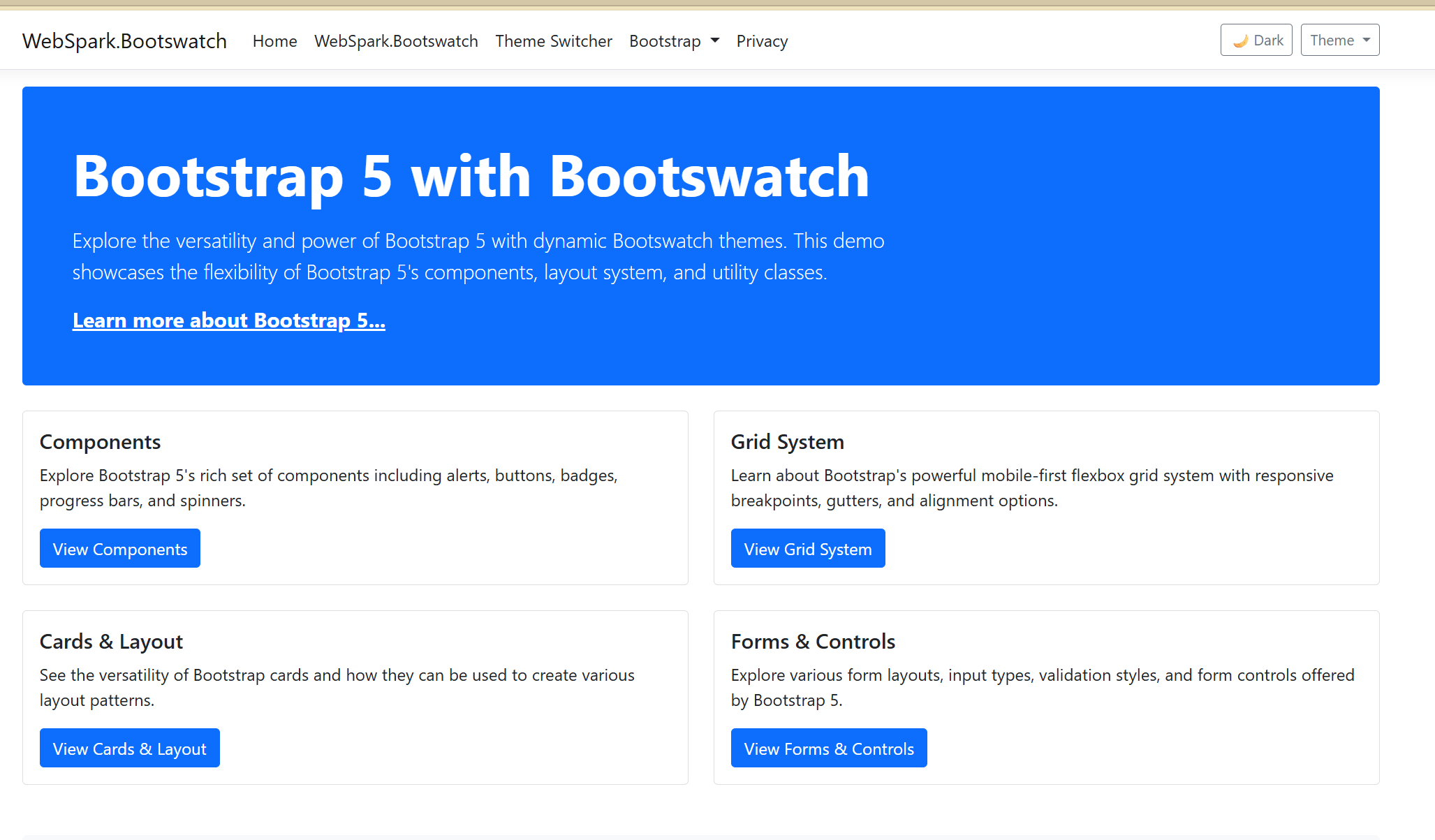
WebSpark.Bootswatch is a .NET Razor Class Library (NuGet package) enabling seamless Bootswatch theme integration into ASP.NET Core applications. Version 2.0+ targets .NET 10 exclusively, featuring dynamic theme switching, light/dark mode with auto-detection, tag helper support, and high-performance StyleCache caching.
Thousands of NuGet downloads
WebSpark.HttpClientUtility
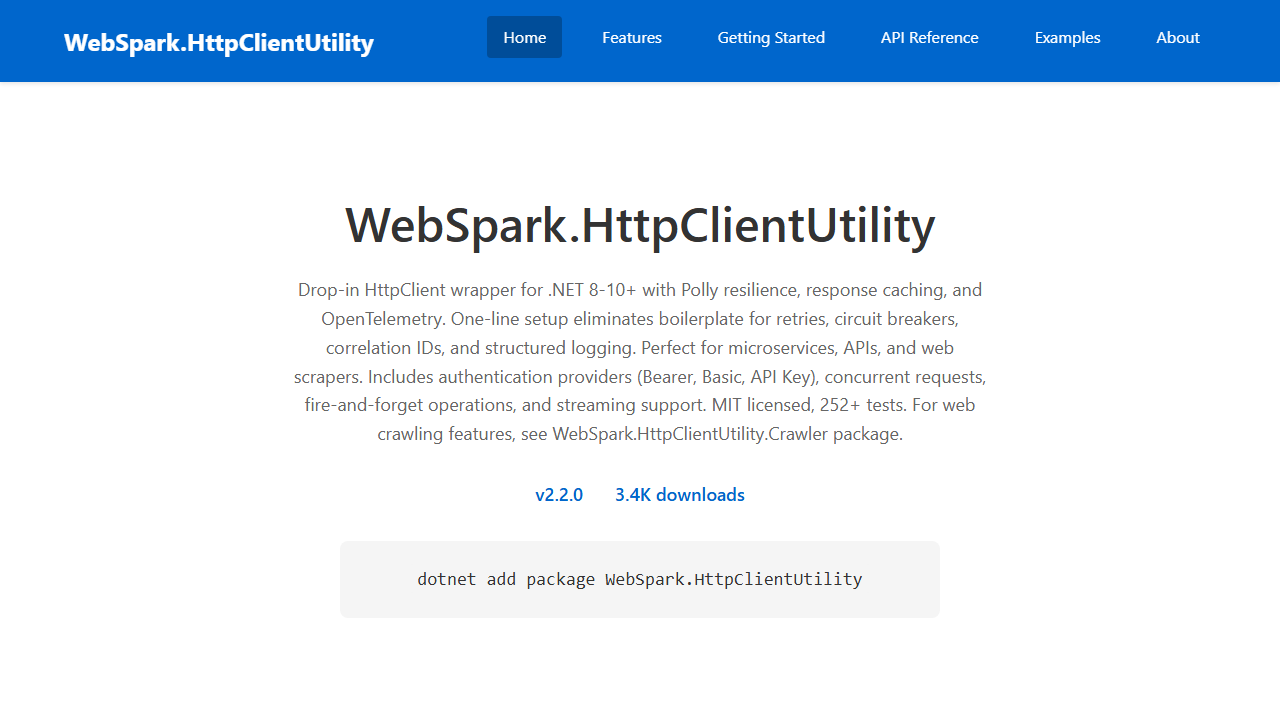
WebSpark.HttpClientUtility is a drop-in HttpClient wrapper for .NET 8-10+ with Polly resilience (retries, circuit breakers), response caching, correlation IDs, and OpenTelemetry tracing — configured in one AddHttpClientUtility() call. Includes a separate Crawler package for web scraping. hundreds of passing unit tests.
Thousands of NuGet downloads
Working through something similar?
If this maps to something you're working on, I'm glad to compare notes. Start with the system and the constraint that matters most.