Building a Key Press Counter with ChatGPT
A key press counter sounds trivial — until you start asking what the data is for, who can see it, and where the line sits between productivity tooling and surveillance. Building one with ChatGPT made both the technical setup and the ethics surprisingly concrete.
AI & Machine Learning Series — 27 articles
- Using ChatGPT for C# Development
- Trivia Spark: Building a Trivia App with ChatGPT
- Mastering LLM Prompt Engineering
- Building a Key Press Counter with ChatGPT
- ChatGPT Meets Jeopardy: C# Solution for Trivia Aficionados
- English: The New Programming Language of Choice
- Using Large Language Models to Generate Structured Data
- Prompt Spark: Revolutionizing LLM System Prompt Management
- Integrating Chat Completion into Prompt Spark
- WebSpark: Transforming Web Project Mechanics
- Accelerate Azure DevOps Wiki Writing
- The Brain Behind JShow Trivia Demo
- Interactive Chat in PromptSpark With SignalR
- Building Real-Time Chat with React and SignalR
- Workflow-Driven Chat Applications Powered by Adaptive Cards
- Understanding Neural Networks
- Creating a Law & Order Episode Generator
- The Transformative Power of MCP
- Computer Vision in Machine Learning
- Harnessing NLP: Concepts and Real-World Impact
- The Impact of Input Case on LLM Categorization
- The New Era of Individual Agency: How AI Tools Empower Self-Starters
- AI Observability Is No Joke
- Mountains of Misunderstanding: The AI Confidence Trap
- Measuring AI's Contribution to Code
- Building MuseumSpark - Why Context Matters More Than the Latest LLM
- Ithaka Gave You the Journey: AI-Assisted Development
Filed under Building software with AI
Topic cluster
AI and Machine LearningApplied AI, machine learning, and the practical limits of intelligent systems.
The Counter Was Easy. The Question Behind It Wasn't
A key press counter sounds like a harmless programming exercise. Listen for an event, increment a number, and print the result. When I asked ChatGPT to help sketch one in Python, the implementation took almost no time.
Then the more important questions arrived. What was I actually measuring? Who would see the count? Would the person using the keyboard know the listener was running? A dozen lines of code had crossed from input handling into behavior monitoring, and the difference had nothing to do with technical complexity.
That tension is what made the exercise worth revisiting. AI assistance can make a tool faster to build, but speed does not settle whether the tool should exist in a particular form.
What the Prototype Actually Does
The prototype uses Python and pynput to register a callback for each key-down event. It counts events in memory and prints the running total:
from pynput import keyboard

count = 0

def on_press(key):
    global count
    count += 1
    print(f"Total key presses: {count}")

with keyboard.Listener(on_press=on_press) as listener:
    listener.join()
The change from printing the pressed key to printing only the count is deliberate. Capturing the key value turns a counter into the beginning of a keylogger. The application does not need the content to answer the narrow question, so it should never collect it.
Even this smaller version is global: while the listener is active, it can observe keyboard events outside its own window. That may be acceptable for a personal experiment that is visible and easy to stop. It is a very different proposition on someone else's workstation.
Data Minimization Changes the Design
The first design decision is not which library to install. It is the smallest amount of data that can answer the question.
If the goal is to test whether a control receives keyboard input, an application-level event handler is usually enough. If the goal is to help someone understand their own typing habits, an opt-in counter with local-only totals may be reasonable. Neither case requires storing individual keys, timestamps, window titles, or application names.
Each additional field creates a more detailed record of behavior. It also creates another thing to explain, protect, retain, and eventually delete. That is where a tiny utility starts accumulating the responsibilities of a monitoring system.
Consent Has to Be Part of the Interface
A paragraph in a privacy policy is not meaningful consent for a background listener. The person being measured should be able to see that collection is active, understand exactly what is counted, and stop or reset it without asking an administrator.
For a responsible version of this prototype, I would expect four visible constraints:
- collection is off by default;
- the interface shows when the listener is active;
- only aggregate counts are retained, preferably in memory;
- stopping the tool stops collection immediately.
Those constraints are not polish added after the Python works. They are part of the system's behavior and should shape the implementation from the first prompt.
What ChatGPT Changed—and What It Didn't
ChatGPT reduced the friction of finding the right listener API and assembling a runnable example. That is useful, especially when working in a language or package that is not part of my daily stack.
It did not know the organizational context, the relationship between the person collecting data and the person being measured, or whether a global keyboard hook was proportionate to the problem. Those are engineering judgments. A generated implementation can reveal them, but it cannot make them on my behalf.
The lasting lesson from this small exercise is not how to count keyboard events. It is how quickly convenient code can outrun the question that justified it. The more capable the coding assistant becomes, the more deliberate I need to be about defining that question first.
References
Explore More
- Using ChatGPT for C# Development -- Accelerate Your Coding with AI
- Trivia Spark: Building a Trivia App with ChatGPT -- Rapid Prototyping and AI-Assisted Development in Practice
- NuGet Packages: Benefits and Challenges -- Exploring the Pros and Cons of NuGet Packages
- Mastering LLM Prompt Engineering -- The Art of Effective AI Communication
- Creating a PHP Website with ChatGPT -- Integrating ChatGPT for Enhanced User Interaction
Related project evidence

KeyPressCounter
Lightweight Windows system tray utility monitoring keyboard and mouse input activity alongside real-time system performance metrics and usage statistics.
WebSpark.HttpClientUtility
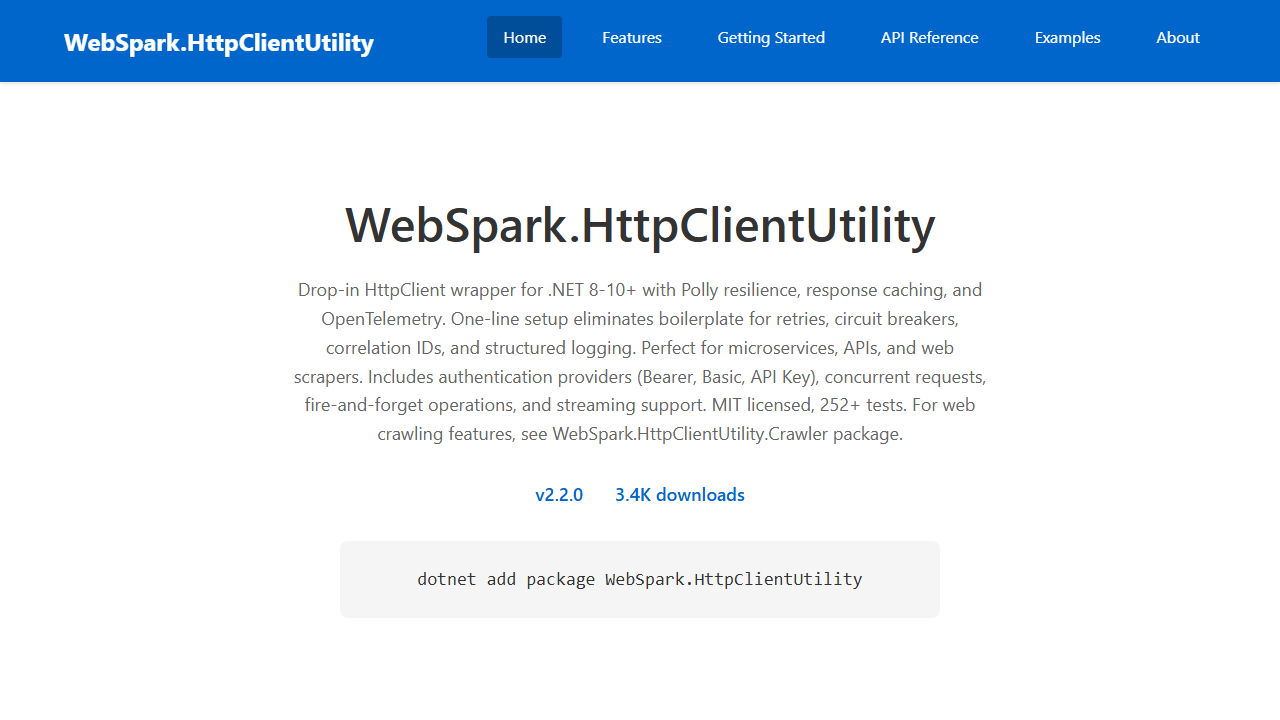
WebSpark.HttpClientUtility is a drop-in HttpClient wrapper for .NET 8-10+ with Polly resilience (retries, circuit breakers), response caching, correlation IDs, and OpenTelemetry tracing — configured in one AddHttpClientUtility() call. Includes a separate Crawler package for web scraping. hundreds of passing unit tests.
Thousands of NuGet downloads
WebSpark.ArtSpark
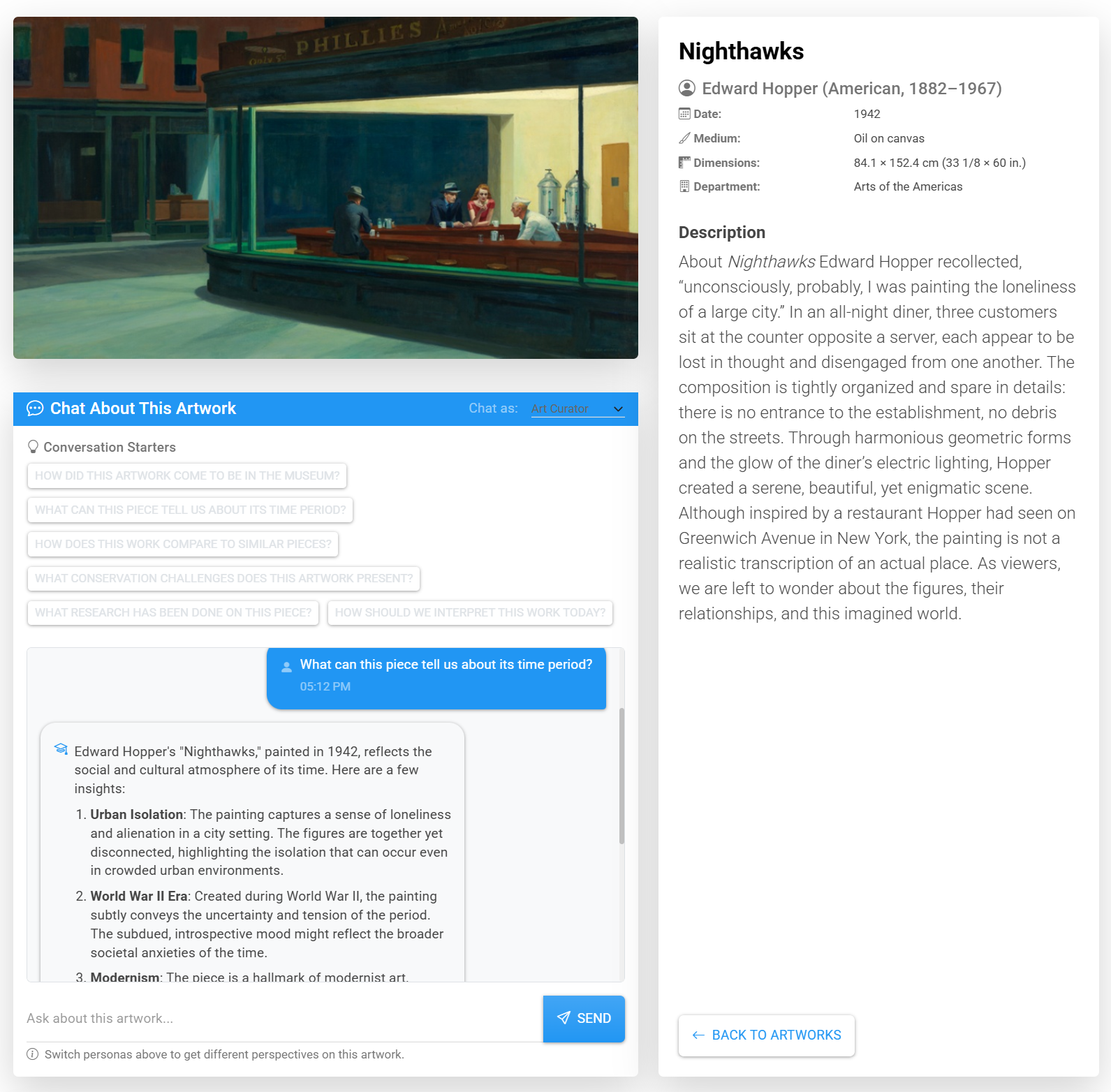
WebSpark.ArtSpark is a .NET 10 solution providing a complete client library for all 33 Art Institute of Chicago API endpoints plus an AI chat system with four personas (Artwork, Artist, Curator, Historian) powered by Semantic Kernel and GPT-4o Vision. Includes demo web app, console app, and user collections via ASP.NET Core Identity.
Working through something similar?
If this maps to something you're working on, I'm glad to compare notes. Start with the system and the constraint that matters most.