TaskListProcessor - Enterprise Async Orchestration for .NET
Explore TaskListProcessor, an enterprise-grade .NET 10 library for orchestrating asynchronous operations. Learn about circuit breakers, dependency injection, interface segregation, and building fault-tolerant systems with comprehensive telemetry.
Development Series — 23 articles
- Mastering Git Repository Organization
- CancellationToken for Async Programming
- Git Flow Rethink: When Process Stops Paying Rent
- Understanding System Cache: A Comprehensive Guide
- Guide to Redis Local Instance Setup
- Fire and Forget for Enhanced Performance
- Building Resilient .NET Applications with Polly
- The Singleton Advantage: Managing Configurations in .NET
- Troubleshooting and Rebuilding My JS-Dev-Env Project
- Decorator Design Pattern - Adding Telemetry to HttpClient
- Generate Wiki Documentation from Your Code Repository
- TaskListProcessor - Enterprise Async Orchestration for .NET
- Architecting Agentic Services in .NET 9: Semantic Kernel
- NuGet Packages: Benefits and Challenges
- My Journey as a NuGet Gallery Developer and Educator
- Harnessing the Power of Caching in ASP.NET
- The Building of React-native-web-start
- TailwindSpark: Ignite Your Web Development
- Creating a PHP Website with ChatGPT
- Evolving PHP Development
- Modernizing Client Libraries in a .NET 4.8 Framework Application
- Building Git Spark: My First npm Package Journey
- Dave's Top Ten: Git Stats You Should Never Track
On a recent project, I watched our travel dashboard timeout because one slow microservice held up Task.WhenAll. We had no visibility into which service broke the chain, no way to surface partial results, and no circuit breaking to stop the cascade. The real problem wasn't async itself—it was coordination at scale, and the gap between what Task.WhenAll gives you and what production systems actually need. That gap is what pushed me to build TaskListProcessor.
Source Code Available: The complete source code for TaskListProcessor is available on GitHub. Clone the repository to explore the examples and follow along with the implementation.
I started with SemaphoreSlim and basic Task.WhenAll patterns, but real projects demanded better fault isolation, observability, and scheduling. What started as an exploration of concurrent processing fundamentals became something I kept reaching for in production—so I formalized it into a library. The real problem emerges under load: you have no visibility into which task failed, and fault isolation becomes a nightmare.
Building on Concurrent Processing Fundamentals: This journey began with exploring concurrent processing fundamentals and learning how to manage multiple tasks with SemaphoreSlim. If you're new to concurrent programming concepts, consider starting with the foundational article first: Concurrent Processing Basics.
Why TaskListProcessor?
I've watched the same failure mode appear in different codebases: a dashboard aggregates data from multiple microservices, one service is slow or intermittent, and the entire request stalls or dies. The instinct is to reach for Task.WhenAll—but that's where I learned the hard way what coordination at scale actually requires.
When one task fails with Task.WhenAll, the exception propagates and you lose everything. You have no record of which tasks succeeded, no elapsed time per operation, no way to surface partial results to users. I initially thought structured error handling was a logging problem. It isn't. It's an architectural problem: fault isolation has to be designed in from the start, not bolted on after a production incident.
The trade-off here is real. Proper fault isolation adds complexity—you need result wrappers, telemetry hooks, and circuit breaker state. What I've found is that the complexity pays for itself the first time a downstream service degrades at 2 AM and you can tell at a glance which tasks failed, how long they ran before failing, and whether a circuit breaker opened. Without that structure, you're guessing. With it, partial failures become manageable rather than catastrophic.
Consider these common scenarios:
- A dashboard aggregating data from multiple microservices, where some services might be slower or fail intermittently
- Batch processing workflows with dependencies between tasks
- API gateways coordinating calls to downstream services with varying SLAs
- Data pipelines processing streams of events with different priorities
Traditional approaches often lead to tangled code where task management becomes brittle. You might use Task.WhenAll, but what happens when one task fails? How do you track which operations took how long? How do you prevent cascading failures when a downstream service starts timing out?
TaskListProcessor emerged from wrestling with these questions in production environments. It provides:
- Fault isolation: circuit breakers and individual task failure isolation prevent one failing operation from cascading
- Enterprise observability: OpenTelemetry integration with rich metrics and distributed tracing
- Advanced scheduling: priority-based, dependency-aware task execution for complex workflows
- Type safety: strongly-typed results with comprehensive error categorization
- Dependency injection: native .NET DI integration following modern architectural patterns
- Interface segregation: clean, focused interfaces following SOLID principles
Enterprise Features
The features here were not chosen for completeness. They were forced by operational pressure: partial failures, uneven latency, and the need to diagnose behavior quickly when systems are under stress.
Core Processing Capabilities
TaskListProcessor focuses on six operational concerns that usually get scattered across codebases: concurrency control, circuit breaking, telemetry, type-safe results, timeout and cancellation boundaries, and dependency-aware execution. Grouping them in one orchestration layer reduces duplicated plumbing and makes failure behavior easier to reason about.
Why Fault Isolation Matters—and How We Get It Wrong
In practice, the architecture leans on a few choices that improve predictability more than elegance:
- Dependency injection keeps orchestration concerns composable across ASP.NET Core and worker services.
- Interface segregation (ITaskProcessor, ITaskBatchProcessor, ITaskStreamProcessor) narrows dependencies so services only pull in what they actually execute.
- Decorators isolate cross-cutting concerns like logging, metrics, and circuit breaking without contaminating core task logic.
- Scheduling strategy support (priority, FIFO, LIFO, custom) lets execution policy reflect business urgency instead of one hard-coded queue model.
- Thread-safety and memory discipline reduce surprises during sustained throughput, where coordination overhead can quietly dominate runtime behavior.
Architecture and Design Patterns
Understanding the architecture helps explain why TaskListProcessor behaves the way it does. The design follows a layered approach with clear separation of concerns:
┌─────────────────────────────────────────────────────────────────┐
│                    Dependency Injection Layer                   │
│        services.AddTaskListProcessor().WithAllDecorators()      │
└─────────────────────────────────────────────────────────────────┘
                                │
                                ▼
┌─────────────────────────────────────────────────────────────────┐
│                      Decorator Chain                            │
│  LoggingDecorator → MetricsDecorator → CircuitBreakerDecorator  │
└─────────────────────────────────────────────────────────────────┘
                                │
                                ▼
┌─────────────────────────────────────────────────────────────────┐
│                Interface Segregation Layer                      │
│  ITaskProcessor │ ITaskBatchProcessor │ ITaskStreamProcessor    │
│              ITaskTelemetryProvider                             │
└─────────────────────────────────────────────────────────────────┘
                                │
                                ▼
┌─────────────────────────────────────────────────────────────────┐
│                    Core Processing Engine                       │
│            TaskListProcessorEnhanced (Backward Compatible)      │
└─────────────────────────────────────────────────────────────────┘
                                │
              ┌─────────────────┼─────────────────┐
              │                 │                 │
    ┌─────────▼────────┐ ┌─────▼──────┐ ┌───────▼──────┐
    │ TaskDefinition   │ │TaskTelemetry│ │TaskProgress  │
    │ + Dependencies   │ │ + Metrics   │ │ + Reporting  │
    │ + Priority       │ │ + Tracing   │ │ + Streaming  │
    │ + Scheduling     │ │ + Health    │ │ + Estimates  │
    └──────────────────┘ └────────────┘ └──────────────┘
I learned quickly that architectural purity mattered less than whether on-call failures were diagnosable in minutes instead of hours. The layering is useful because it keeps failure handling and instrumentation visible at every step.
The Dependency Injection Layer integrates with ASP.NET Core and other .NET applications using Microsoft's DI container. The fluent configuration API makes setup straightforward.
The Decorator Layer handles cross-cutting concerns like logging, metrics, and circuit breakers as composable decorators. This keeps the core processing logic clean and allows you to compose functionality as needed.
Interface Segregation provides focused interfaces for different scenarios. Need to process a single task? Use ITaskProcessor. Processing batches? Use ITaskBatchProcessor. Want streaming results? Use ITaskStreamProcessor.
The Processing Engine handles thread-safe orchestration, dependency resolution, and scheduling. It's backward compatible with existing code while supporting new enterprise features.
Supporting Components—TaskDefinition, TaskTelemetry, and TaskProgress—model tasks with metadata, capture detailed metrics, and provide real-time feedback for long-running operations.
Development Challenges
The TaskListProcessor addresses common challenges in .NET concurrent programming, providing a structured approach to running concurrent tasks with different return types.
Issue: Diverse Return Types
A common issue with concurrent async methods in .NET is handling different return types. When you're calling multiple APIs or services, each might return a different type: weather data, user information, stock prices, etc. Traditional approaches like Task.WhenAll require homogeneous types, leading to awkward workarounds with Task<object> casts or separate collections for each type.
What I found useful about the generic result wrapper approach is that each task can return its own type, wrapped in a consistent TaskResult<T> structure—so you get type safety without sacrificing the ability to mix service responses in a single orchestrated call.
Issue: Error Propagation
Without proper structure, errors from individual tasks can propagate and cause widespread failures. A single failing API call might bring down an entire dashboard. Or worse, exceptions bubble up uncaught and crash the application.
In distributed systems, partial failures are normal. A weather service might be down while activity recommendations still work. Users expect to see available data rather than an error page when one service fails.
The Trade-Off: Complexity for Resilience
TaskListProcessor isolates failures at the task level. When one task throws an exception, it's caught, logged, and recorded in the task's result—but other tasks continue executing. This fault isolation prevents cascading failures and allows partial success scenarios. The trade-off here is that you accept additional orchestration overhead—result wrappers, telemetry hooks, per-task error state—in exchange for predictable failure behavior. In practice, we accept that cost because the alternative is an unpredictable system where one bad service takes down everything else.
The circuit breaker pattern takes this further. If a particular operation starts failing repeatedly, the circuit breaker opens to prevent further attempts, reducing load on failing services and speeding up failure responses.
The Trade-Off: Throughput vs. Observability Overhead—and Why We Accept the Latter
Beyond fault tolerance, the library enhances performance through intelligent scheduling and concurrency management. Features like WhenAllWithLoggingAsync enhance the standard Task.WhenAll with error oversight, while configurable concurrency limits prevent overwhelming system resources.
What I've noticed is that the observability overhead is real—per-task timing, telemetry collection, and health checks all add CPU cycles. The reason to accept that cost is that throughput without observability is a liability: you can't optimize what you can't measure, and you can't diagnose what you can't see. Dependency-aware scheduling ensures tasks execute in the correct order when there are dependencies, while independent tasks execute in parallel for maximum throughput.
Getting Started
There are two approaches to using TaskListProcessor, depending on your architecture preferences and requirements.
Direct Instantiation (Quick Start)
For simpler scenarios or when you want explicit control:
using TaskListProcessing.Core;
using Microsoft.Extensions.Logging;

// Set up logging (optional but recommended)
using var loggerFactory = LoggerFactory.Create(builder => builder.AddConsole());
var logger = loggerFactory.CreateLogger<Program>();

// Create the processor
using var processor = new TaskListProcessorEnhanced("My Tasks", logger);

// Define your tasks using the factory pattern
var taskFactories = new Dictionary<string, Func<CancellationToken, Task<object?>>>
{
    ["Weather Data"] = async ct => await GetWeatherAsync("London"),
    ["Stock Prices"] = async ct => await GetStockPricesAsync("MSFT"),
    ["User Data"] = async ct => await GetUserDataAsync(userId)
};

// Execute all tasks concurrently
await processor.ProcessTasksAsync(taskFactories, cancellationToken);

// Access results and telemetry
foreach (var result in processor.TaskResults)
{
    Console.WriteLine(quot;{result.Name}: {(result.IsSuccessful ? "✅" : "❌")}");
}
This approach is straightforward and works well for console applications, background jobs, or scenarios where you're managing dependencies manually.
Dependency Injection (Recommended)
For ASP.NET Core applications and services that use dependency injection:
using TaskListProcessing.Extensions;
using Microsoft.Extensions.DependencyInjection;
using Microsoft.Extensions.Hosting;

// Program.cs or Startup.cs
var builder = Host.CreateApplicationBuilder(args);

// Configure TaskListProcessor with decorators
builder.Services.AddTaskListProcessor(options =>
{
    options.MaxConcurrentTasks = 10;
    options.EnableDetailedTelemetry = true;
    options.CircuitBreakerOptions = new() { FailureThreshold = 3 };
})
.WithLogging()
.WithMetrics()
.WithCircuitBreaker();

var host = builder.Build();

// Usage in your services
public class MyService
{
    private readonly ITaskBatchProcessor _processor;

    public MyService(ITaskBatchProcessor processor)
    {
        _processor = processor;
    }

    public async Task ProcessDataAsync()
    {
        var tasks = new Dictionary<string, Func<CancellationToken, Task<object?>>>
        {
            ["API Call"] = async ct => await CallApiAsync(ct),
            ["DB Query"] = async ct => await QueryDatabaseAsync(ct)
        };

        await _processor.ProcessTasksAsync(tasks);
    }
}
The DI approach provides several advantages: automatic lifetime management, easy testing with mock implementations, and integration with ASP.NET Core's configuration and logging systems.
Task.WhenAll vs. Parallel Methods
 Task.WhenAll vs Parallel.ForEach. Image Credit ChatGPT with DALL-E
I have found the contrast between Task.WhenAll and Parallel methods easier to reason about through two mental models: runners on a track and a tug-of-war team. That framing surfaces the trade-offs without pretending there is one universally correct choice.
Task.WhenAll as Runners
Imagine runners, each in their own lane on a track. This represents Task.WhenAll for handling asynchronous, I/O-bound tasks. Each task runs independently without blocking others, ensuring efficiency for network requests or file I/O operations.
Parallel Methods as Tug-of-War
A tug-of-war contest represents Parallel methods for CPU-bound tasks. Teams work together with synchronized effort, similar to how parallel processing distributes computational weight across multiple threads for maximum CPU utilization.
Travel Website Use Case
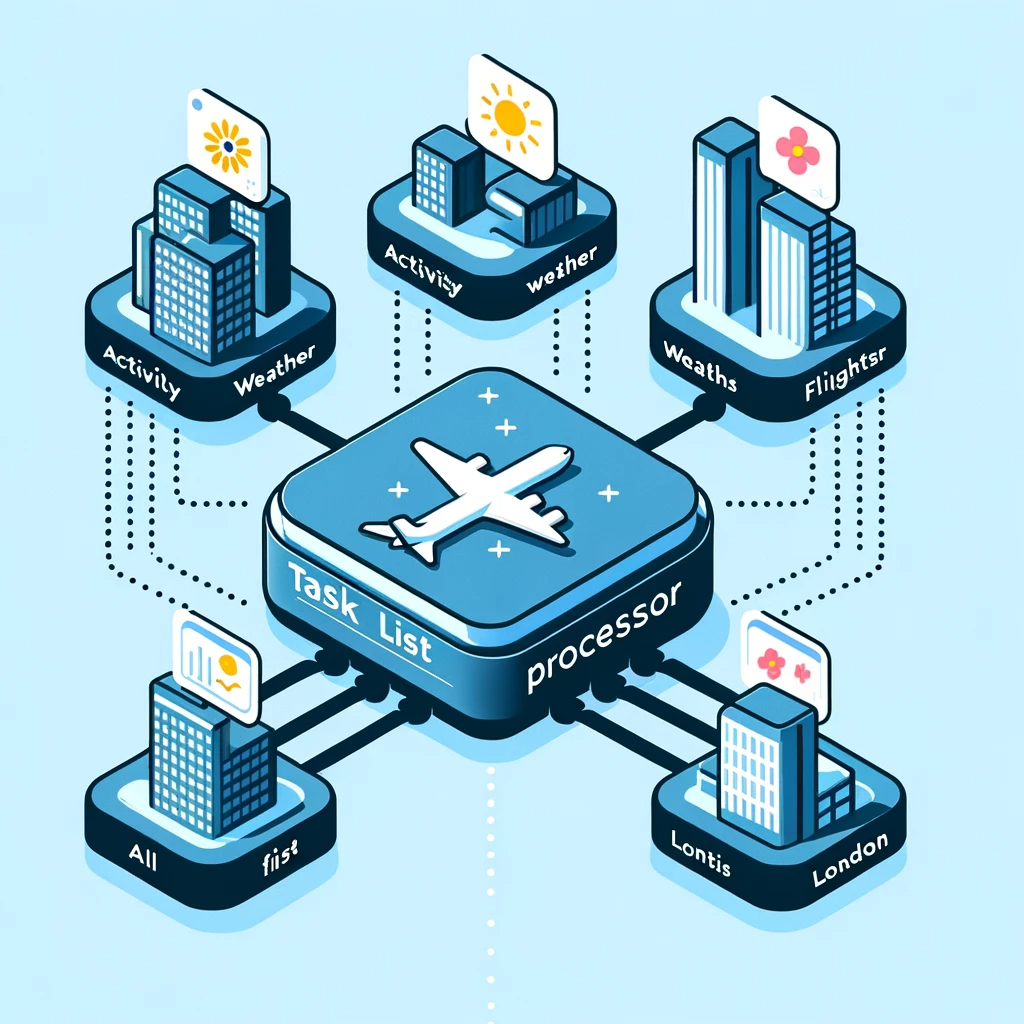 Task List Processor Use Case. Image Credit ChatGPT with DALL-E
Consider a travel website displaying a dashboard of top destination cities, aggregating data like weather, attractions, events, and flights from multiple sources. This scenario illustrates why concurrent processing architecture matters.
The Challenge
Each city's dashboard requires data from multiple external services:
- Weather API for current conditions and forecasts
- Activities service for local attractions and events
- Flight API for pricing and availability
- Hotel search for accommodation options
Fetching this data sequentially would be unacceptably slow. If each service averages 500ms response time and you need four calls per city for eight cities, that's 16 seconds of sequential processing. Users won't wait that long.
The naive solution is to fire off all requests in parallel using Task.WhenAll. But what happens when the flights API is down? Or when the weather service in Tokyo takes 5 seconds instead of 500ms? Without proper orchestration, these failures cascade, timeouts accumulate, and the entire dashboard fails to load.
The TaskListProcessor Solution
With TaskListProcessor, you get:
- Concurrent data retrieval where all service calls execute in parallel, reducing total load time to roughly the slowest single call rather than the sum of all calls.
- Fault isolation so when the flights API fails, weather and activities data still display and users see partial results rather than an error page.
- Circuit breaker protection where repeated timeouts from one service trigger fast failure instead of repeated long waits.
- Comprehensive telemetry showing which services are slow, which are failing, and how overall dashboard performance changes over time.
- Graceful degradation with priority-based scheduling so critical data (like weather) loads before nice-to-have data (like event recommendations).
Business Impact
This architecture translates directly to business outcomes:
- Faster page loads improve user engagement and conversion
- Partial data display maintains functionality during service degradation
- Detailed telemetry enables proactive performance optimization
- Circuit breakers reduce load on failing services, aiding recovery
Core Implementations
Two methods reveal most of the design intent in TaskListProcessor: how failures are contained and how execution is observed.
WhenAllWithLoggingAsync Method
The WhenAllWithLoggingAsync method enhances the standard Task.WhenAll with robust error handling and centralized logging capabilities.
public static async Task WhenAllWithLoggingAsync(IEnumerable<Task> tasks, ILogger logger)
{
  ArgumentNullException.ThrowIfNull(logger);
  try
  {
    await Task.WhenAll(tasks);
  }
  catch (Exception ex)
  {
    logger.LogError(ex, "TLP: An error occurred while executing one or more tasks.");
  }
}
In production, this wrapper changes failure behavior more than its size suggests. Instead of allowing exceptions to propagate and potentially crash the application, it catches exceptions and logs them for debugging and analysis. Centralized logging of task exceptions with consistent formatting makes integration with logging solutions like Serilog, NLog, or Application Insights straightforward—all task failures flow through a single point with consistent context.
The method logs errors internally and allows program continuation. A failing recommendation service shouldn't prevent weather data from displaying. When something fails at 3 AM, good logs make the difference between a 5-minute fix and a 5-hour investigation.
GetTaskResultAsync Method
The GetTaskResultAsync method wraps async calls with telemetry features, measuring execution time and providing performance metrics.
public async Task GetTaskResultAsync<T>(string taskName, Task<T> task) where T : class
{
  var sw = new Stopwatch();
  sw.Start();
  var taskResult = new TaskResult { Name = taskName };
  try
  {
    taskResult.Data = await task;
    sw.Stop();
    Telemetry.Add(GetTelemetry(taskName, sw.ElapsedMilliseconds));
  }
  catch (Exception ex)
  {
    sw.Stop();
    Telemetry.Add(GetTelemetry(taskName, sw.ElapsedMilliseconds, "Exception", ex.Message));
    taskResult.Data = null;
  }
  finally
  {
    TaskResults.Add(taskResult);
  }
}
Three design choices do most of the work here. Using Stopwatch to measure and record task execution time provides valuable performance insights—over time, this data reveals trends like whether the weather API is getting slower or whether certain cities are consistently slow. Catching exceptions during task execution and logging them with task names and elapsed time enables comprehensive failure analysis: not just what failed, but how long it took before failing. Each task executes in a separate logical block with its own error handling, so one task's failure doesn't interfere with others. The finally block ensures results are always recorded, even on failure. The generic type parameter allows returning various object types from different tasks within a single list, enabling heterogeneous task processing without losing type safety.
TaskResult Class
The TaskResult class is a cornerstone of the TaskListProcessor architecture, designed to encapsulate task outcomes with a unified structure.
public class TaskResult<T> : ITaskResult
{
  public TaskResult()
  {
    Name = "UNKNOWN";
    Data = null;
  }

  public TaskResult(string name, T data)
  {
    Name = name;
    Data = data;
  }
  public T? Data { get; set; }
  public string Name { get; set; }
}
The class looks minimal, but it establishes a stable contract for downstream handling. It offers a standardized object representing any task outcome, regardless of the task's nature or return data type—that consistency simplifies result handling across applications. The generic design allows holding any result data type, making it versatile across projects and scenarios. Whether you're processing weather data, user records, or financial transactions, the same pattern applies. When tasks fail, the result stores error details alongside the original task information, making it invaluable for error tracking and debugging. The class can also be extended to include telemetry data like execution duration, which matters for performance monitoring in complex systems.
Advanced Features
Beyond basic concurrent execution, TaskListProcessor provides enterprise-grade features for complex scenarios.
Task Dependencies & Scheduling
Real-world workflows often have dependencies. Database initialization must complete before running queries. Authentication must succeed before API calls. TaskListProcessor handles these scenarios with dependency resolution:
using TaskListProcessing.Models;
using TaskListProcessing.Scheduling;

// Configure with dependency resolution
var options = new TaskListProcessorOptions
{
    DependencyResolver = new TopologicalTaskDependencyResolver(),
    SchedulingStrategy = TaskSchedulingStrategy.Priority,
    MaxConcurrentTasks = Environment.ProcessorCount * 2
};

using var processor = new TaskListProcessorEnhanced("Advanced Tasks", logger, options);

// Define tasks with dependencies and priorities
var taskDefinitions = new[]
{
    new TaskDefinition
    {
        Name = "Initialize",
        Factory = async ct => await InitializeAsync(ct),
        Priority = TaskPriority.High
    },
    new TaskDefinition
    {
        Name = "Process Data",
        Factory = async ct => await ProcessDataAsync(ct),
        Dependencies = new[] { "Initialize" },
        Priority = TaskPriority.Medium
    },
    new TaskDefinition
    {
        Name = "Generate Report",
        Factory = async ct => await GenerateReportAsync(ct),
        Dependencies = new[] { "Process Data" },
        Priority = TaskPriority.Low
    }
};

await processor.ProcessTaskDefinitionsAsync(taskDefinitions);
The dependency resolver uses topological sorting to determine the correct execution order. Tasks with no dependencies execute immediately, while dependent tasks wait for their prerequisites. Priority determines execution order among tasks that are ready to run.
Circuit Breaker Pattern
The circuit breaker pattern prevents cascading failures in distributed systems. When a service starts failing, continuing to call it wastes resources and delays failure responses. The circuit breaker pattern addresses this:
var options = new TaskListProcessorOptions
{
    CircuitBreakerOptions = new CircuitBreakerOptions
    {
        FailureThreshold = 5,
        RecoveryTimeout = TimeSpan.FromMinutes(2),
        MinimumThroughput = 10
    }
};

using var processor = new TaskListProcessorEnhanced("Resilient Tasks", logger, options);

// Tasks will automatically trigger circuit breaker on repeated failures
var taskFactories = new Dictionary<string, Func<CancellationToken, Task<object?>>>
{
    ["Resilient API"] = async ct => await CallExternalApiAsync(ct),
    ["Fallback Service"] = async ct => await CallFallbackServiceAsync(ct)
};

await processor.ProcessTasksAsync(taskFactories);

// Check circuit breaker status
var cbStats = processor.CircuitBreakerStats;
if (cbStats?.State == CircuitBreakerState.Open)
{
    Console.WriteLine(quot;Circuit breaker opened at {cbStats.OpenedAt}");
}
When failures exceed the threshold, the circuit opens, immediately failing subsequent requests without attempting the operation. After the recovery timeout, the circuit moves to a half-open state, attempting a test request to see if the service has recovered.
Streaming Results
For long-running batch operations, waiting for all tasks to complete before processing results isn't always desirable. Streaming results allows processing data as it becomes available:
using TaskListProcessing.Interfaces;

public class StreamingService
{
    private readonly ITaskStreamProcessor _streamProcessor;

    public StreamingService(ITaskStreamProcessor streamProcessor)
    {
        _streamProcessor = streamProcessor;
    }

    public async Task ProcessWithStreamingAsync()
    {
        var tasks = CreateLongRunningTasks();

        // Process results as they complete
        await foreach (var result in _streamProcessor.ProcessTasksStreamAsync(tasks))
        {
            Console.WriteLine(quot;Completed: {result.Name} - {result.IsSuccessful}");

            // Process result immediately without waiting for all tasks
            await HandleResultAsync(result);
        }
    }
}
This pattern is particularly useful for dashboards, where you can update the UI as each piece of data arrives rather than waiting for all data to load.
Travel Dashboard Demo
 Task List Processor Dashboard showing concurrent data loading
A travel dashboard scenario makes the trade-offs concrete because weather, activities, and failure handling all compete in the same request window.
The Implementation
using var processor = new TaskListProcessorEnhanced("Travel Dashboard", logger);
using var cts = new CancellationTokenSource(TimeSpan.FromMinutes(2));

var cities = new[] { "London", "Paris", "New York", "Tokyo", "Sydney", "Chicago", "Dallas", "Wichita" };
var taskFactories = new Dictionary<string, Func<CancellationToken, Task<object?>>>();

// Create tasks for each city
foreach (var city in cities)
{
    taskFactories[quot;{city} Weather"] = ct => weatherService.GetWeatherAsync(city, ct);
    taskFactories[quot;{city} Activities"] = ct => activitiesService.GetActivitiesAsync(city, ct);
}

// Execute and handle results
try
{
    await processor.ProcessTasksAsync(taskFactories, cts.Token);

    // Group results by city
    var cityData = processor.TaskResults
        .GroupBy(r => r.Name.Split(' ')[0])
        .ToDictionary(g => g.Key, g => g.ToList());

    // Display results with rich formatting
    foreach (var (city, results) in cityData)
    {
        Console.WriteLine(quot;\n🌍 {city}:");
        foreach (var result in results)
        {
            var status = result.IsSuccessful ? "✅" : "❌";
            Console.WriteLine(quot;  {status} {result.Name.Split(' ')[1]}");
        }
    }
}
catch (OperationCanceledException)
{
    logger.LogWarning("Operation timed out after 2 minutes");
}
This example demonstrates several important concepts:
Concurrent data retrieval makes non-blocking calls to multiple services for each city. Instead of sequentially fetching weather then activities for London, then Paris, etc., all calls execute in parallel. The total execution time approaches the slowest single call rather than the sum of all calls.
The CancellationTokenSource with a 2-minute timeout ensures the operation doesn't hang indefinitely if services are unresponsive. This is critical for production systems where timeouts must be enforced.
After execution, results are grouped by city, demonstrating how to organize heterogeneous task results for presentation. This pattern is useful for dashboards where related data should display together.
The status indicator (✅ or ❌) shows which services succeeded and which failed. Users see available data rather than a blank page when some services fail.
Sample Output
Telemetry:
Chicago Activities: Task completed in 602 ms with ERROR Exception: Random failure occurred fetching activities data.
Paris Weather: Task completed in 723 ms with ERROR Exception: Random failure occurred fetching weather data.
Dallas Activities: Task completed in 1,009 ms
Sydney Weather: Task completed in 1,318 ms
Tokyo Activities: Task completed in 1,921 ms
London Weather: Task completed in 2,789 ms

Results:
🌍 Dallas:
  ✅ Weather
  ✅ Activities

🌍 Sydney:
  ✅ Weather
  ❌ Activities

🌍 Tokyo:
  ✅ Weather
  ✅ Activities

🌍 London:
  ✅ Weather
  ✅ Activities
Notice how failures don't prevent successful results from displaying. Chicago activities failed, but Chicago weather (if available) would still show. This partial success pattern is essential for resilient user experiences.
Enhanced Implementation
 Enhanced dashboard showing both weather and activities
The latest enhancement demonstrates mixing different service types seamlessly:
var thingsToDoService = new CityThingsToDoService();
var weatherService = new WeatherService();
var cityDashboards = new TaskListProcessorGeneric();
var cities = new List<string> { "London", "Paris", "New York", "Tokyo", "Sydney", "Chicago", "Dallas", "Wichita" };
var tasks = new List<Task>();

foreach (var city in cities)
{
  tasks.Add(cityDashboards.GetTaskResultAsync(quot;{city} Weather", weatherService.GetWeather(city)));
  tasks.Add(cityDashboards.GetTaskResultAsync(quot;{city} Things To Do", thingsToDoService.GetThingsToDoAsync(city)));
}

await cityDashboards.WhenAllWithLoggingAsync(tasks, logger);
This enhancement shows how TaskListProcessor handles diverse data sources with uniform error handling and telemetry, reflecting real-world scenarios where dashboards aggregate data from multiple microservices.
Performance and Telemetry
TaskListProcessor provides comprehensive telemetry out of the box, giving you deep insights into how your concurrent operations perform.
Built-in Metrics
After execution, detailed telemetry is available for analysis:
// Access telemetry summary
var telemetrySummary = processor.GetTelemetrySummary();
Console.WriteLine(quot;📊 Success Rate: {telemetrySummary.SuccessRate:F1}%");
Console.WriteLine(quot;⏱️ Average Time: {telemetrySummary.AverageExecutionTime:F0}ms");
Console.WriteLine(quot;🚀 Throughput: {telemetrySummary.TasksPerSecond:F1} tasks/second");

// Individual task telemetry
var telemetry = processor.Telemetry;
var slowTasks = telemetry.Where(t => t.DurationMs > 1000).ToList();
foreach (var task in slowTasks)
{
    logger.LogWarning("Slow task detected: {TaskName} took {Duration}ms",
        task.TaskName, task.DurationMs);
}
Sample Telemetry Output
=== 📊 TELEMETRY SUMMARY ===
📈 Total Tasks: 16
✅ Successful: 13 (81.2%)
❌ Failed: 3
⏱️ Average Time: 1,305ms
🏃 Fastest: 157ms | 🐌 Slowest: 2,841ms
⏰ Total Execution Time: 20,884ms

=== 📋 DETAILED TELEMETRY ===
✅ Successful Tasks (sorted by execution time):
  🚀 London Things To Do: 157ms
  🚀 Dallas Things To Do: 339ms
  ⚡ Chicago Things To Do: 557ms
  🏃 London Weather: 1,242ms
  ...

❌ Failed Tasks:
  💥 Sydney Things To Do: ArgumentException after 807ms
  💥 Tokyo Things To Do: ArgumentException after 424ms
Health Monitoring
Built-in health checks provide operational insights:
var options = new TaskListProcessorOptions
{
    HealthCheckOptions = new HealthCheckOptions
    {
        MinSuccessRate = 0.8, // 80% success rate threshold
        MaxAverageExecutionTime = TimeSpan.FromSeconds(5),
        IncludeCircuitBreakerState = true
    }
};

using var processor = new TaskListProcessorEnhanced("Health Monitored", logger, options);

// After processing tasks
var healthResult = processor.PerformHealthCheck();
if (!healthResult.IsHealthy)
{
    logger.LogWarning("Health check failed: {Message}", healthResult.Message);

    // Take corrective action: restart services, trigger alerts, etc.
    await NotifyOpsTeamAsync(healthResult);
}
This telemetry integration enables real-time performance monitoring, trend analysis over time, proactive alerting on degradation, and data-driven optimization decisions.
OpenTelemetry Integration
For enterprise environments with existing observability infrastructure, TaskListProcessor integrates with OpenTelemetry:
builder.Services.AddTaskListProcessor(options =>
{
    options.EnableDetailedTelemetry = true;
})
.WithOpenTelemetry(telemetryOptions =>
{
    telemetryOptions.ServiceName = "TravelDashboard";
    telemetryOptions.ExportToJaeger("localhost", 6831);
});
This provides distributed tracing across your entire stack, showing how task execution correlates with downstream service performance.
Explore Further
The journey from basic concurrent processing to enterprise-grade async orchestration raises interesting questions about system design and resilience. TaskListProcessor represents one approach, evolved through practical use in production environments.
Try It Yourself
Clone the repository and experiment with the examples:
git clone https://github