From Concept to Live: Unveiling WichitaSewer.com
Creating a website involves meticulous planning and execution. This article explores the journey of WichitaSewer.com from concept to live launch, highlighting key insights and lessons learned.
Case Studies Series — 10 articles
- Mastering Web Project Mechanics
- From Concept to Live: Unveiling WichitaSewer.com
- Fixing a Runaway Node.js Recursive Folder Issue
- The Creation of ShareSmallBiz.com: A Platform for Small Business Success
- From README to Reality: Teaching an Agent to Bootstrap a UI Theme
- Building ArtSpark: Where AI Meets Art History
- Building TeachSpark: AI-Powered Educational Technology for Teachers
- Safely Launching a New MarkHazleton.com
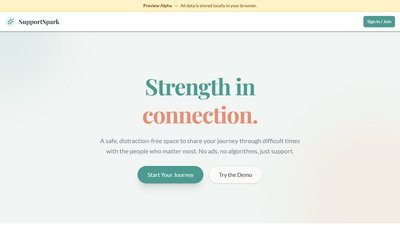
- SupportSpark: A Lightweight Support Network Without the Noise
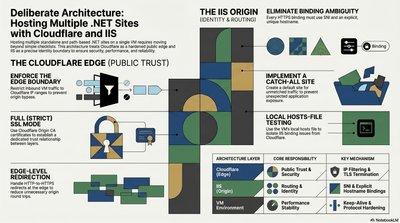
- Cloudflare and IIS: Hosting My .NET Sites on One VM
Filed under Pragmatic architecture and modernization
Topic cluster
Case Studies and Project EvidenceProject writeups, Spark ecosystem applications, content workflows, and lessons from shipped systems.
From Concept to Live: Unveiling WichitaSewer.com
This one started at a Rotary Club meeting. That is where I met Jonathan Roper, an entrepreneur from Wichita, Kansas, who had just bought the license for a sewer and drain service company. He had ideas and energy. What he did not have was a digital presence for the new business, and that was a gap I was happy to fill. WichitaSewer.com came out of that chance meeting and a shared idea of what the business should look like online.
The goal was a site that was informative, but also engaging and representative of the company's commitment to quality service. What follows is the whole path: planning, brand, tools, deployment, and what I would carry into the next project.
Jonathan Roper on the ICT Podcast (February 19, 2024). Jonathan talks about the entrepreneurial side of WichitaSewer.com on the ICT Podcast. If you want the founder's side of this story, that is the place to hear it. #ICTPodcast #Entrepreneurship #Innovation #JonathanRoper #WichitaSewer

Initial Planning
My first step was to understand the core of Jonathan's business: its values and how it wanted to be perceived. That answer guided every later decision, from the look of the logo to how the site would work.
Planning was a mix of strategic and creative choices. Each one aimed at a site that met the immediate need and also gave Jonathan a foundation that could scale.
The Brand
The first real deliverable was the company logo. We worked with two people: a talented Fiverr consultant and a local artist known for their creativity. Their styles were different, and the logo came out of the tension between them. It had to be memorable and versatile enough to work on the website and also on work shirts and promotional products.

Tools and Technologies
I found out quickly how opinionated I am about tools. I wanted the ones I know best, the ones that let me move quickly, and the ones I could keep maintaining without friction. Here is what I chose and why.
Node.js and npm
I went with a static website built with Node.js and the npm command line. Node.js lets me run JavaScript outside the browser, and npm gives me a package manager with an enormous library of tools. Using JavaScript for site generation keeps the project cohesive, and npm makes it easy to add features and automate chores.
Pug template engine
I picked Pug for its simplicity and flexibility, and because I had already used it on several other sites. Once the environment was set up, I knew I could add pages and content quickly, and I wanted a platform that was easy to update and maintain. Pug is a high-performance template engine for Node.js and browsers, influenced by Haml. Its clean, indentation-based syntax lets you embed variables, loops, and conditionals directly in the templates.
Visual Studio Code
Visual Studio Code is Microsoft's open-source editor, and it is where I do most of my work. Three things matter to me:
- Language support: JavaScript, TypeScript, Python, and more are built in, so one editor covers nearly every project.
- Extensions: The marketplace lets me tune the environment to the task at hand.
- Integrated tools: IntelliSense, built-in Git support, and an integrated terminal keep the whole workflow in one window.
SB UI Kit Pro (Start Bootstrap)
I chose SB UI Kit Pro from Start Bootstrap for its features and adaptability. It offered a wealth of design elements built on current web technologies. It was less a starting point than a launchpad, because it let us build a site that looked good and worked well using Bootstrap 5 and the Pug template tool. It also ships with a complete development environment, so I could get started and build out the site right away.
- Bootstrap 5 integration for modern, responsive designs
- Access to the source files, including SASS/SCSS, for deeper customization
- Regular updates and direct email support from the development team
GitHub
I host the source in a private GitHub repository tied to an organization. It gives me collaboration, project management, and integrations in one place, and the access controls protect the codebase.
- Role-based permissions, pull requests, and issues support teamwork without risking code integrity.
- Third-party integrations make automation, continuous integration, and deployment straightforward.
- Private repositories protect the source, and audit trails support secure development practices.
Azure Static Web Apps
Azure Static Web Apps is the Azure service for deploying and hosting static web applications. It automates the build and deployment straight from the code repository, which is a fast way to get a site to market with scalability, security, and global distribution built in. I wrote more about it in Embracing Azure Static Web Apps for Static Site Hosting. Three reasons it fit this project:
- Integrated CI/CD: Linking the app to a specific GitHub repository and branch means every push or pull request triggers an automated build and deployment, so the latest changes are always live. This works with a private repository.
- Global distribution: Static content is served from points around the world, which cuts latency by putting content closer to visitors.
- Security out of the box: Free SSL certificates, custom domain configuration, and a security model that removes the need for CORS configuration when calling APIs.
Cloudflare
Cloudflare handles SSL and DNS for the site and adds performance and security services on top. The free tier covered what we needed, and it is comforting to know we can scale up when the business grows. The benefits that decided it:
- Security: Free SSL certificates, DNSSEC to protect against DNS spoofing, and a Web Application Firewall that guards against common threats such as SQL injection and cross-site scripting.
- Performance: HTTP/2 support loads page elements in parallel, and image optimization, file compression, and intelligent browser caching speed the site further.
- DDoS protection and traffic management: Cloudflare sits as a proxy between the site and its visitors, hides the origin server's IP address, and offers load balancing and rate limiting to keep the site fast during traffic spikes and attacks.
Screaming Frog SEO Spider
The Screaming Frog SEO Spider is a site crawler that surfaces common SEO issues and gives a full view of site structure, internal linking, and metadata. I run it for site audits.
- In-depth analysis: It examines HTTP status codes, page titles, and meta descriptions, so technical faults that hurt search performance show up quickly.
- Issue detection: It finds broken links, duplicate content, missing alt text, and improper redirects.
- Analytics integration: It connects to Google Analytics and Search Console, which adds traffic and behavior data to the crawl.
Development and Deployment
Moving from design to development was the pivotal phase. I had a clear vision and a plan, and the job was to turn the designs into a working site.
Hosting on Azure Static Web Apps was a strategic choice, since I wanted the scalability and reliability of Microsoft's cloud. I paired it with Cloudflare for DNS management, which added security and performance along with content distribution. Together they gave us infrastructure that was efficient and cost-effective.
The center of the work was GitHub, where I created a dedicated repository for the project. It became the hub for version control and collaboration. I could share progress with Jonathan in near real time, and with simple commits and pushes we could act on feedback quickly and keep the project agile.
Jonathan had already set up the domain and email on GoDaddy, so I had to integrate carefully with that. I created a [email protected] account to manage the tools and services needed to build and promote the site. That kept communication simple and the infrastructure coordinated.
The last piece was an Azure subscription for the Static Web Apps instance, connected to the GitHub repository. That gave us a CI/CD workflow, which made updates and maintenance easy and kept the site stable as it changed.
Looking back, this phase showed me how much a well-structured workflow matters. Every deployment decision was made with the user experience and the business's digital presence in mind.
Lessons Learned
Getting WichitaSewer.com from concept to live was about more than building a digital presence. It taught me a lot about web development and project management, and these lessons stand out.
Embrace flexibility and adaptability
Unexpected challenges are a given in web development. Sometimes we tweaked the design to better meet user needs, and sometimes we changed strategy to accommodate a new technology. Being able to pivot was invaluable.
The power of collaboration
Working with Jonathan, the Fiverr consultant, and the local artist showed me the value of diverse perspectives. Each person brought skills and insights that enriched the project.
User-centered design
Focusing on the user experience from the start guided many decisions, from layout and navigation to content and aesthetics. The result is a site that looks good and is also intuitive, which is what keeps visitors engaged.
Continuous learning and improvement
The digital landscape keeps changing, so staying current on trends, tools, and best practices is essential. This project was a reminder to keep taking in new ideas and technologies.
SEO and performance optimization
Optimizing for search engines and making sure the site performs well on every device was critical to its visibility and to the visitor experience.
The value of iterative development
I treated the launch as a milestone, not the end. That let us keep improving the site based on user feedback and analytics, so it stays relevant and effective.
These lessons apply well beyond web development. Adaptability, collaboration, user focus, continuous learning, and iterative improvement are what carry most projects to success.
"The best way to predict the future is to create it." – Peter Drucker
For more insights into web development projects, contact us to learn how we can help bring your vision to life.
Explore More
- Canonical URL Troubleshooting for Static Web Apps -- Optimize Canonical URLs for Better SEO in Static Apps
- Developing MarkHazleton.com: Tools and Approach -- Building a Modern Website with Cutting-Edge Technologies
- Getting Started with PUG: History and Future -- Exploring PUG's Journey and Its Future Prospects
- Mastering Web Project Mechanics -- Explore essential strategies for web project success
- Exploring Microsoft Copilot Studio -- Discover the Future of AI with Mark Hazleton
Related project evidence

WichitaSewer.com
The website for Wichita Sewer and Drain Service, a new local business, built so customers could find it and call from day one.
Live since 2024 and still maintained
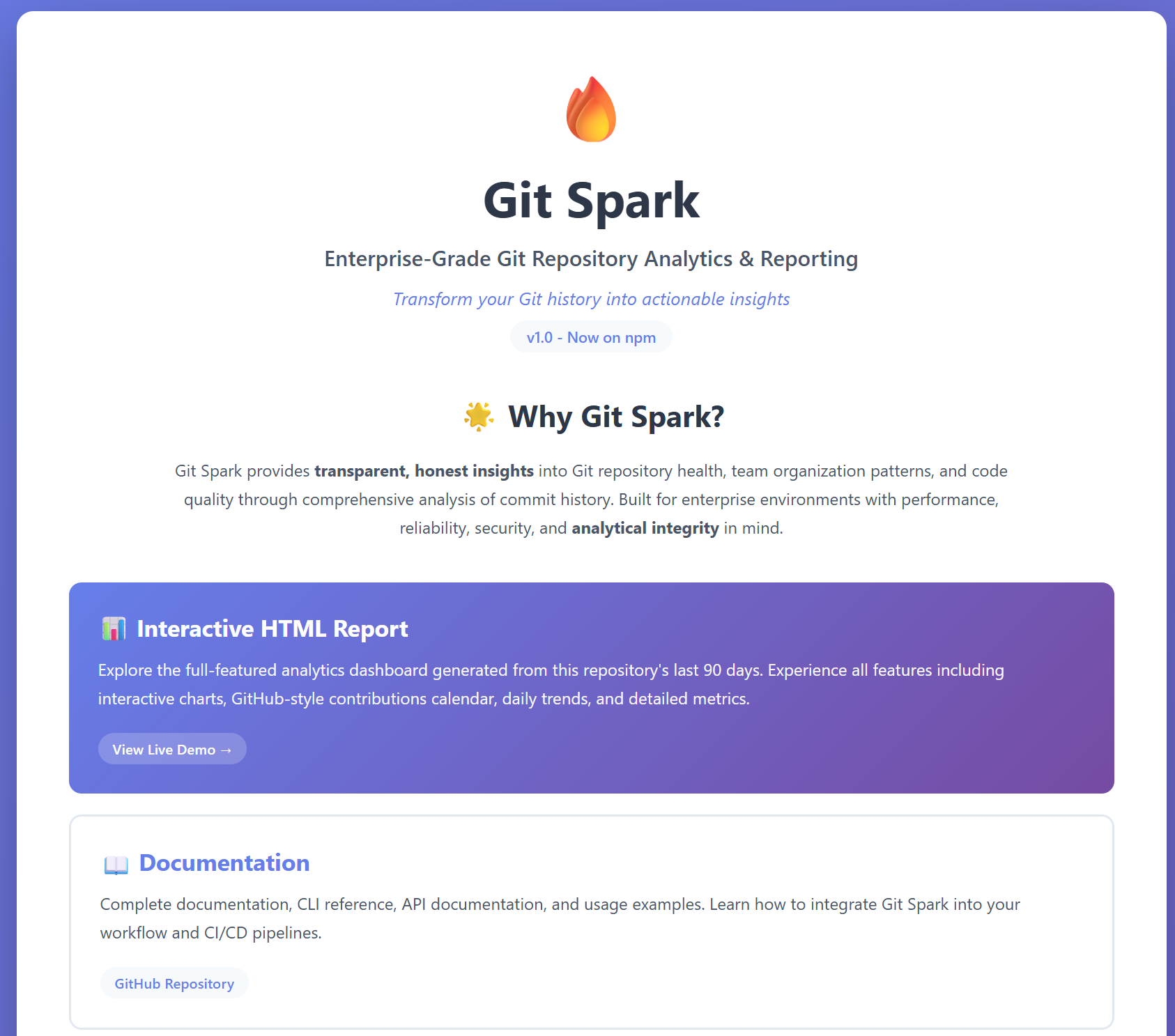
Git Spark: Advanced Git Repository Analytics Tool
Git Spark is an npm CLI tool and Node.js library that analyzes Git repository commit history to provide insights into contributor activity, code changes, and development patterns. Generates interactive HTML reports with charts, plus JSON, CSV, and Markdown exports.
Thousands of npm downloads
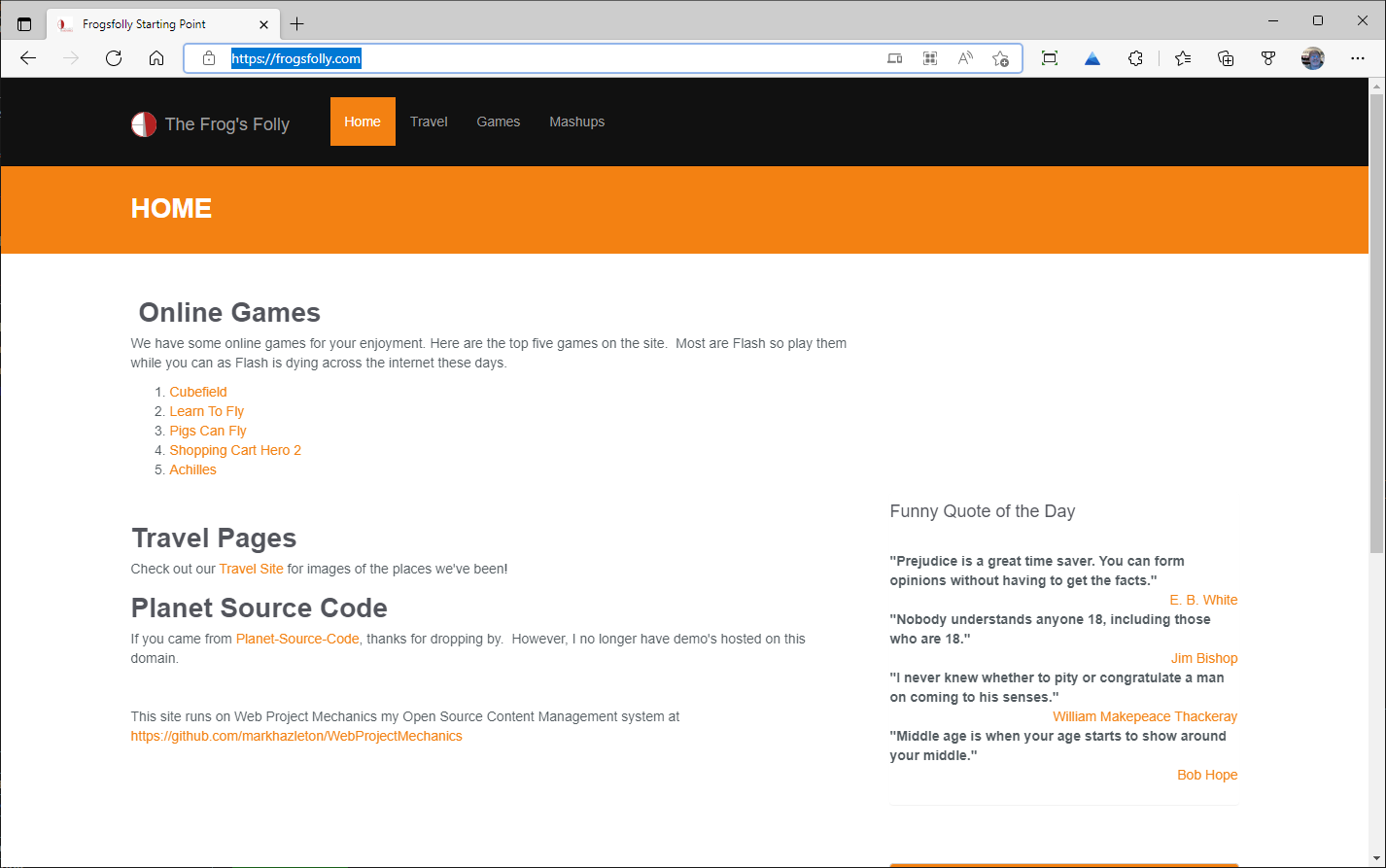
Frogsfolly.com Main
Frogsfolly.com is the original website I created in 1999 when learning web technologies.
Working through something similar?
If this maps to something you're working on, I'm glad to compare notes. Start with the system and the constraint that matters most.