Building TeachSpark: AI-Powered Educational Technology for Teachers
TeachSpark was built to reduce worksheet-preparation time while keeping instructional intent in the teacher's hands. This article breaks down the architecture, integration approach, and implementation trade-offs.
Case Studies Series — 10 articles
- Mastering Web Project Mechanics
- From Concept to Live: Unveiling WichitaSewer.com
- Fixing a Runaway Node.js Recursive Folder Issue
- The Creation of ShareSmallBiz.com: A Platform for Small Business Success
- From README to Reality: Teaching an Agent to Bootstrap a UI Theme
- Building ArtSpark: Where AI Meets Art History
- Building TeachSpark: AI-Powered Educational Technology for Teachers
- Safely Launching a New MarkHazleton.com
- SupportSpark: A Lightweight Support Network Without the Noise
- Cloudflare and IIS: Hosting My .NET Sites on One VM
Filed under Pragmatic architecture and modernization
Topic cluster
Case Studies and Project EvidenceProject writeups, Spark ecosystem applications, content workflows, and lessons from shipped systems.
A Father's Journey to Revolutionize Educational Technology
How a conversation with my eighth-grade English teacher daughter led to creating a sophisticated AI-powered worksheet generation platform
🚀 Try TeachSpark Beta - Your Feedback Wanted!
Ready to revolutionize your worksheet creation?
TeachSpark is currently in beta and available for educators to explore. Experience firsthand how AI can transform your lesson planning workflow while maintaining educational rigor and standards alignment.
Free during beta testing
Common Core aligned
Bloom's taxonomy integration
Multiple AI models supported
Looking for Collaborators
Educators, developers, and education technology enthusiasts: I'm seeking partners who share the vision of empowering teachers through intelligent technology. Whether you're interested in testing, contributing code, suggesting features, or helping scale this platform, your involvement can help shape the future of AI-powered education tools.
min read
The Genesis: A Teacher's Challenge
As a father and software architect, some of my most rewarding projects have come from solving real problems for the people I care about most. When my daughter, an eighth-grade English teacher, mentioned her struggles with creating engaging, standards-aligned worksheets for her diverse student population, I saw an opportunity to blend my technical expertise with her educational insights.
She had been experimenting with ChatGPT and Claude, copying and pasting prompts to generate worksheet content. While the AI tools were helpful, she found herself repeatedly explaining the same context: grade level requirements, Common Core standards, Bloom's taxonomy levels, and the need to differentiate content for various student cohorts. Each worksheet required starting from scratch, and there was no way to save, organize, or build upon previous work.
"I wish I could integrate Bloom's criteria with Common Core guidelines and target specific groups of students. The AI is powerful, but I spend too much time explaining what I need instead of focusing on my students."
That conversation sparked the creation of TeachSpark—a comprehensive platform designed specifically for educators who want to harness AI's power while maintaining pedagogical rigor and organizational efficiency.
The Technical Vision
As I analyzed her requirements, several key technical challenges emerged:
Intelligent Prompt Engineering
How to automatically generate contextually rich prompts that incorporate educational standards without requiring teachers to remember complex formatting
Dynamic Model Selection
How to choose the most appropriate AI model based on worksheet type, complexity, and budget constraints
Educational Standards Integration
How to seamlessly weave Common Core standards and Bloom's taxonomy into the content generation process
Content Management
How to save, organize, and iterate on generated worksheets
User Experience
How to create an interface that feels natural to educators, not software developers
Architecture: Building for Scale and Maintainability
TeachSpark is built on .NET 9 MVC with a clean architecture that separates concerns while maintaining flexibility for future enhancements.
The Foundation: Service Layer Architecture
The heart of the application lies in its service layer, which abstracts complex operations behind clean interfaces:
public interface ILlmService
{
  Task<ServiceResult<WorksheetContentResult>> GenerateWorksheetContentAsync(
    WorksheetGenerationRequest request,
    string? userId = null,
    string? userEmail = null,
    CancellationToken cancellationToken = default);

  Task<<ServiceResult>List<string>> GetAvailableModelsAsync(CancellationToken cancellationToken = default);
  Task<<ServiceResult>bool> ValidateConfigurationAsync(CancellationToken cancellationToken = default);
}
This interface hides the complexity of AI integration while providing educators with a simple, reliable way to generate content. Behind the scenes, the implementation handles model selection, cost optimization, error recovery, and quality validation.
Database Design: Educational Domain Modeling
The database schema reflects deep understanding of the educational domain:
public class Worksheet
{
  public int Id { get; set; }
  public string Title { get; set; } = string.Empty;
  public string UserId { get; set; } = string.Empty;

  // Educational alignment
  public int? CommonCoreStandardId { get; set; }
  public virtual CommonCoreStandard? CommonCoreStandard { get; set; }

  public int? BloomLevelId { get; set; }
  public virtual BloomLevel? BloomLevel { get; set; }

  // Content storage
  public string ContentMarkdown { get; set; } = string.Empty;
  public string? RenderedHtml { get; set; }

  // Generation metadata
  public string? LlmModel { get; set; }
  public decimal? GenerationCost { get; set; }
  public TimeSpan? GenerationTime { get; set; }
  public int? TokensUsed { get; set; }

  // Educational metadata
  public string WorksheetType { get; set; } = string.Empty;
  public string DifficultyLevel { get; set; } = "standard";
  public int? QuestionCount { get; set; }
  public bool HasAnswerKey { get; set; }
}
This design captures not just the content, but the educational context and generation metadata that help teachers understand and improve their worksheet creation process.
Innovation #1: Intelligent Model Selection
One of TeachSpark's most sophisticated features is its dynamic model selection system. Rather than forcing teachers to understand the technical differences between GPT-4o, GPT-4o-mini, and other models, the system automatically recommends the best option based on educational criteria:
public class ModelSelectionCriteria
{
  public string WorksheetType { get; set; } = string.Empty;
  public string DifficultyLevel { get; set; } = string.Empty;
  public int EstimatedTokens { get; set; }
  public decimal MaxCostPerRequest { get; set; }
  public bool RequireStructuredOutput { get; set; }
  public bool PrioritizeSpeed { get; set; }
  public bool PrioritizeQuality { get; set; }
}

public async Task<ServiceResult<ModelRecommendation>> RecommendModelAsync(
  ModelSelectionCriteria criteria, CancellationToken cancellationToken = default)
{
  var availableModels = await GetAvailableModelsAsync();

  // Filter models by technical requirements
  var suitableModels = availableModels.Where(m =>
    criteria.EstimatedTokens <= m.MaxTokens &&
    (!criteria.RequireStructuredOutput || m.SupportsStructuredOutput) &&
    EstimateCost(m, criteria.EstimatedTokens) <= criteria.MaxCostPerRequest
  ).ToList();

  // Score models based on educational criteria
  var scoredModels = suitableModels.Select(model => new
  {
    Model = model,
    Score = CalculateEducationalScore(model, criteria)
  }).OrderByDescending(x => x.Score).ToList();

  return new ModelRecommendation
  {
    RecommendedModel = scoredModels.First().Model,
    Reason = GetEducationalReason(scoredModels.First().Model, criteria),
    EstimatedCost = EstimateCost(scoredModels.First().Model, criteria.EstimatedTokens)
  };
}
The system considers factors like worksheet complexity (creative writing needs more sophisticated models than vocabulary drills), budget constraints (schools have limited resources), and quality requirements (high-stakes assessments deserve premium models).
Innovation #2: Educational Standards Integration
Teachers shouldn't need to memorize Common Core standard codes or Bloom's taxonomy descriptions. TeachSpark automatically integrates this information into AI prompts:
private async Task<string> GeneratePromptAsync(WorksheetGenerationRequest request)
{
  var promptBuilder = new StringBuilder();
  promptBuilder.AppendLine(request.Template.UserPromptTemplate);

  // Automatically include Common Core standard context
  if (request.CommonCoreStandardId.HasValue)
  {
    var standard = await dbContext.CommonCoreStandards
      .FirstOrDefaultAsync(s => s.Id == request.CommonCoreStandardId.Value);

    if (standard != null)
    {
      promptBuilder.AppendLine(quot;\n**Common Core Standard Alignment:**");
      promptBuilder.AppendLine(quot;- Code: {standard.Code}");
      promptBuilder.AppendLine(quot;- Grade: {standard.Grade}");
      promptBuilder.AppendLine(quot;- Domain: {standard.Domain}");
      promptBuilder.AppendLine(quot;- Description: {standard.Description}");
      promptBuilder.AppendLine("Ensure all questions align with this standard's requirements.");
    }
  }

  // Include Bloom's taxonomy guidance
  if (request.BloomLevelId.HasValue)
  {
    var bloomLevel = await dbContext.BloomLevels
      .FirstOrDefaultAsync(b => b.Id == request.BloomLevelId.Value);

    if (bloomLevel != null)
    {
      promptBuilder.AppendLine(quot;\n**Bloom's Taxonomy Level:**");
      promptBuilder.AppendLine(quot;- Level: {bloomLevel.Name} (Level {bloomLevel.Order}/6)");
      promptBuilder.AppendLine(quot;- Description: {bloomLevel.Description}");
      promptBuilder.AppendLine(quot;- Action Verbs: {bloomLevel.ActionVerbs}");
      promptBuilder.AppendLine(quot;Focus questions on '{bloomLevel.Name}' cognitive level.");
    }
  }

  return promptBuilder.ToString();
}
This automatic context injection means teachers can focus on their pedagogical goals rather than prompt engineering.
Innovation #3: Comprehensive Logging and Analytics
Understanding how AI models perform in educational contexts requires detailed tracking. TeachSpark implements sophisticated logging that captures every aspect of the generation process:
public class LlmLogEntry
{
  public string Status { get; set; } = string.Empty; // SUCCESS or ERROR
  public DateTime Timestamp { get; set; }
  public string RequestId { get; set; } = string.Empty;
  public LlmCallMetadata Metadata { get; set; } = new();
  public WorksheetGenerationRequest Request { get; set; } = new();
  public string SystemPrompt { get; set; } = string.Empty;
  public string UserPrompt { get; set; } = string.Empty;
  public string? Response { get; set; }
  public ErrorDetails? ErrorDetails { get; set; }
}

public async Task LogLlmInteractionAsync(
  WorksheetGenerationRequest request,
  string response,
  LlmCallMetadata metadata)
{
  var timestamp = DateTime.UtcNow;
  var fileName = quot;LLM_{timestamp:yyyyMMdd}_{timestamp:HHmmss}_{Guid.NewGuid():N}_success.json";
  var filePath = Path.Combine(_logDirectory, fileName);

  var logEntry = new LlmLogEntry
  {
    Status = "SUCCESS",
    Timestamp = timestamp,
    RequestId = metadata.RequestId,
    Metadata = metadata,
    Request = request,
    SystemPrompt = request.Template.SystemPromptTemplate,
    UserPrompt = request.Template.UserPromptTemplate,
    Response = response
  };

  await WriteLogEntryAsync(filePath, logEntry);
}
This detailed logging enables continuous improvement of prompts and helps identify patterns in successful worksheet generation.
Technical Excellence: Modern Development Practices
Frontend Build System
TeachSpark uses a sophisticated webpack-based build system that rivals modern SPA applications:
// webpack.config.prod.js
module.exports = {
  mode: 'production',
  optimization: {
    splitChunks: {
      chunks: 'all',
      cacheGroups: {
        jquery: {
          name: 'jquery',
          test: /[\\/]node_modules[\\/]jquery[\\/]/,
          chunks: 'all',
          priority: 20
        },
        bootstrap: {
          name: 'bootstrap',
          test: /[\\/]node_modules[\\/]bootstrap[\\/]/,
          chunks: 'all',
          priority: 20
        },
        vendor: {
          name: 'vendors',
          test: /[\\/]node_modules[\\/]/,
          chunks: 'all',
          priority: 10
        }
      }
    }
  },
  plugins: [
    new MiniCssExtractPlugin({
      filename: 'css/[name].[contenthash].css'
    }),
    new WebpackManifestPlugin({
      fileName: 'assets-manifest.json',
      publicPath: '/',
      generate: (seed, files, entrypoints) => {
        const manifestFiles = files.reduce((manifest, file) => {
          // Generate multiple lookup keys for maximum compatibility
          const logicalName = file.name;
          const withSlash = `/${logicalName}`;
          const withoutSlash = logicalName.replace(/^\//, '');
          const filename = path.basename(logicalName);

          manifest[withSlash] = file.path;
          manifest[withoutSlash] = file.path;
          manifest[filename] = file.path;

          return manifest;
        }, seed);

        return manifestFiles;
      }
    })
  ]
};
Code Splitting
For optimal loading performance
Content Hashing
For cache invalidation
Asset Optimization
With minification and compression
Development Hot Reloading
For rapid iteration
Code Quality Enforcement
The project includes comprehensive code quality tools:
{
  "scripts": {
    "quality": "npm run lint && npm run lint:css && npm run format:check",
    "quality:fix": "npm run lint:fix && npm run lint:css:fix && npm run format",
    "prebuild": "npm run quality"
  },
  "husky": {
    "hooks": {
      "pre-commit": "lint-staged"
    }
  },
  "lint-staged": {
    "*.{js,jsx}": ["eslint --fix", "prettier --write"],
    "*.{css,scss}": ["stylelint --fix", "prettier --write"]
  }
}
This ensures consistent code quality and prevents issues from reaching production.
The Admin Experience: Professional-Grade Management
Understanding that educational technology needs robust administration, TeachSpark includes a comprehensive admin panel with DataTables integration:
[HttpPost]
[ValidateAntiForgeryToken]
public async Task<IActionResult> GetWorksheetsData()
{
  try
  {
    var worksheets = await _context.Worksheets
      .Include(w => w.User)
      .Include(w => w.CommonCoreStandard)
      .Include(w => w.BloomLevel)
      .Include(w => w.Template)
      .AsNoTracking()
      .ToListAsync();

    var data = worksheets.Select(w => new
    {
      id = w.Id,
      title = w.Title ?? "Untitled",
      worksheetType = w.WorksheetType ?? "Unknown",
      difficultyLevel = w.DifficultyLevel ?? "Standard",
      userName = w.User != null ? quot;{w.User.FirstName} {w.User.LastName}" : "Unknown User",
      commonCoreStandard = w.CommonCoreStandard?.Code ?? "None",
      bloomLevel = w.BloomLevel?.Name ?? "None",
      template = w.Template?.Name ?? "None",
      isPublic = w.IsPublic,
      isFavorite = w.IsFavorite,
      questionCount = w.QuestionCount ?? 0,
      hasAnswerKey = w.HasAnswerKey,
      viewCount = w.ViewCount,
      downloadCount = w.DownloadCount,
      createdAt = w.CreatedAt.ToString("yyyy-MM-dd HH:mm"),
      updatedAt = w.UpdatedAt.ToString("yyyy-MM-dd HH:mm")
    }).ToList();

    return Json(new { data });
  }
  catch (Exception ex)
  {
    _logger.LogError(ex, "Error retrieving worksheets data for DataTables");
    return Json(new { error = "Failed to load worksheets data" });
  }
}
Advanced Filtering
Search across all worksheet metadata
Bulk Operations
Managing large datasets efficiently
Export Capabilities
For reporting and analysis
Real-time Analytics
System usage and performance
Deployment and Production Readiness
TeachSpark is designed for real-world deployment with comprehensive configuration management:
// Program.cs - Production-ready startup
var builder = WebApplication.CreateBuilder(args);

// Configure Serilog for production logging
LoggingUtility.ConfigureSerilogLogging(builder, "TeachSpark.Web");

// Database with proper connection management
var connectionString = builder.Configuration.GetConnectionString("DefaultConnection")
  ?? throw new InvalidOperationException("Connection string 'DefaultConnection' not found.");

builder.Services.AddDbContext<ApplicationDbContext>(options =>
  options.UseSqlite(connectionString));

// Identity with production-ready security settings
builder.Services.AddDefaultIdentity<ApplicationUser>(options =>
{
  options.Password.RequireDigit = true;
  options.Password.RequiredLength = 8;
  options.Password.RequireNonAlphanumeric = false;
  options.Password.RequireUppercase = true;
  options.Password.RequireLowercase = true;
  options.Lockout.DefaultLockoutTimeSpan = TimeSpan.FromMinutes(30);
  options.Lockout.MaxFailedAccessAttempts = 5;
  options.User.RequireUniqueEmail = true;
  options.SignIn.RequireConfirmedEmail = false; // Configurable for production
})
.AddEntityFrameworkStores<ApplicationDbContext>();

// Register all services through extension methods
builder.Services.AddCrudServices();
builder.Services.AddWorksheetGenerationServices(builder.Configuration);
Error Handling
Comprehensive with proper logging
Security Configurations
Appropriate for educational environments
Asset Optimization
For fast loading times
Database Migrations
For reliable deployments
The Impact: Solving Real Educational Challenges
The technical sophistication of TeachSpark serves a greater purpose: empowering educators to focus on teaching rather than technology. By automating the complex aspects of AI interaction while preserving pedagogical control, the platform addresses several key pain points:
Time Efficiency
Teachers spend minutes, not hours, creating customized worksheets
Consistency
All generated content automatically aligns with chosen educational standards
Differentiation
Easy creation of multiple difficulty levels for diverse learners
Organization
All worksheets are saved, searchable, and reusable
Cost Management
Intelligent model selection optimizes AI usage costs
Quality Assurance
Built-in validation ensures educational appropriateness
Lessons Learned: Building for Users, Not Developers
This project reinforced several important principles for educational technology:
Domain Expertise Matters
Understanding the educational domain—Common Core standards, Bloom's taxonomy, differentiated instruction—was crucial for creating truly useful features. Technical excellence without pedagogical understanding would have produced a sophisticated tool that teachers wouldn't use.
Abstraction Enables Adoption
The most successful educational technology hides complexity behind intuitive interfaces. Teachers shouldn't need to understand token limits or model capabilities; they should be able to focus on their educational goals.
Observability Drives Improvement
Comprehensive logging and analytics aren't just for debugging—they're essential for understanding how AI performs in educational contexts and continuously improving the system.
Production-Ready from Day One
Educational technology needs to be reliable. Proper error handling, security measures, and performance optimization aren't optional features—they're requirements for any system teachers will trust with their students' learning.
Future Directions: Beyond Worksheets
While TeachSpark successfully addresses worksheet generation, the platform's architecture enables broader educational applications:
Multi-modal Content
Incorporating images, videos, and interactive elements
Collaborative Features
For teacher teams and professional learning communities
Assessment Analytics
Insights into student performance patterns
LMS Integration
Seamless workflow with learning management systems
Mobile Applications
On-the-go worksheet creation and review
Open Source and Community
The complete TeachSpark codebase represents thousands of hours of development focused on solving real educational challenges. While built specifically for my daughter's needs, the patterns and approaches demonstrated here can benefit the broader educational technology community.
The project showcases how modern software development practices—clean architecture, comprehensive testing strategies, sophisticated build systems, and production-ready deployment—can be applied to create tools that genuinely improve educational outcomes.
Conclusion: Technology in Service of Education
TeachSpark began as a father's response to his daughter's professional challenges and evolved into a comprehensive platform that demonstrates the potential of AI-powered educational technology. By focusing on real user needs, maintaining high technical standards, and respecting the complexity of educational practice, we can create tools that amplify human capability rather than replace human judgment.
The journey from that weekend conversation to a production-ready application reinforced my belief that the best technology solutions come from deep understanding of user needs combined with technical excellence in execution. TeachSpark doesn't just generate worksheets—it empowers educators to focus on what they do best: inspiring and guiding student learning.
For Educators and Developers
For educators interested in exploring how AI can enhance their practice, and for developers looking to understand how sophisticated applications can be built with modern .NET technologies, TeachSpark provides a comprehensive example of what's possible when technology serves a clear educational purpose.
About the Author
Mark Hazleton is a software architect and educational technology enthusiast with over two decades of experience building scalable applications. He specializes in creating practical solutions that bridge the gap between complex technology and real-world user needs. When not coding, he enjoys collaborating with educators to understand how technology can genuinely improve learning outcomes.
Explore More
- Mastering Web Project Mechanics -- Explore essential strategies for web project success
- Exploring Microsoft Copilot Studio -- Discover the Future of AI with Mark Hazleton
- From Concept to Live: Unveiling WichitaSewer.com -- Exploring the Development Journey of WichitaSewer.com
- Taking FastEndpoints for a Test Drive -- Exploring the streamlined approach to building ASP.NET APIs
- Fixing a Runaway Node.js Recursive Folder Issue -- Addressing Infinite Recursive Directory Creation in Node.js
Related project evidence
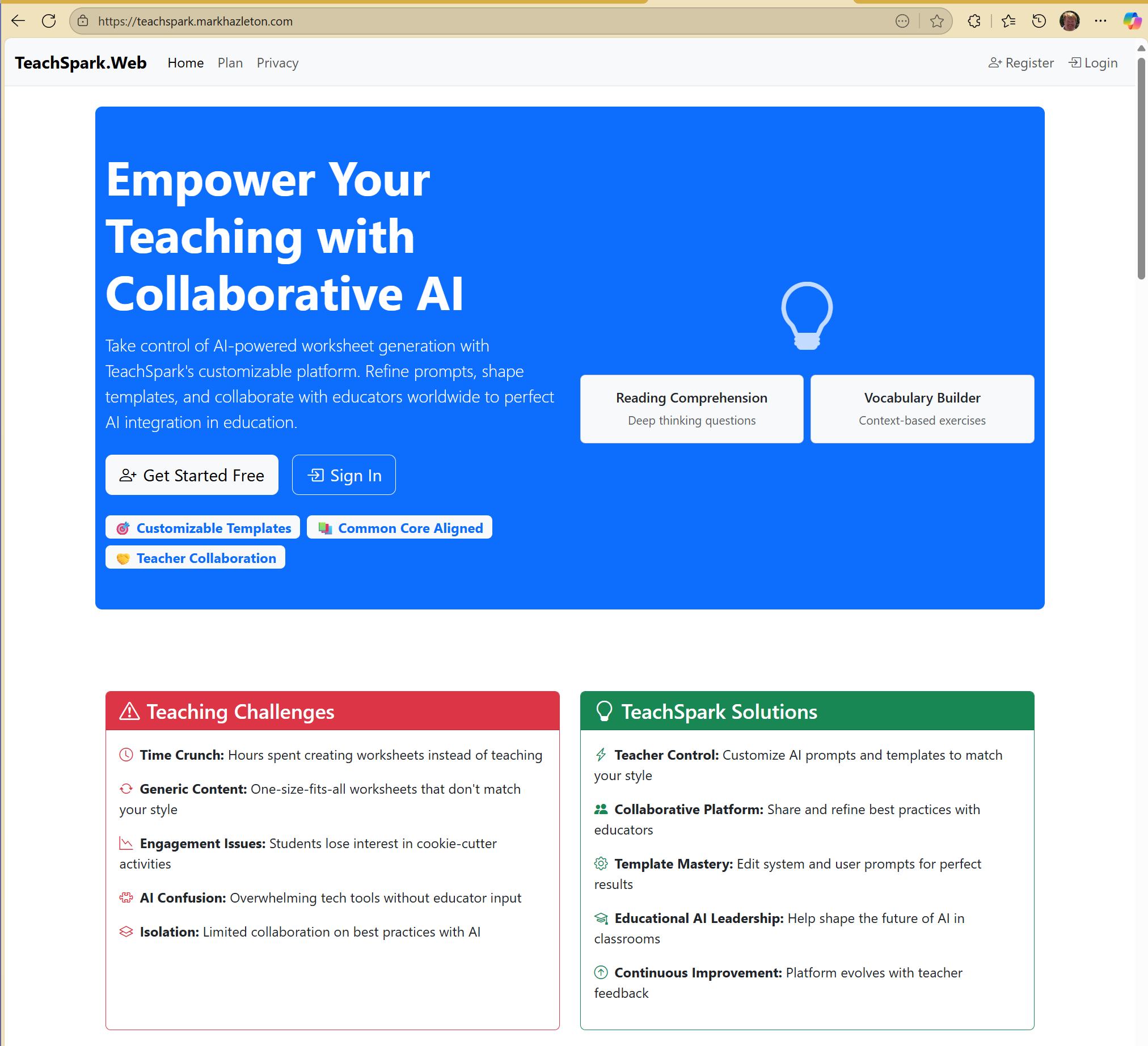
TeachSpark: AI-Driven Educational Platform
TeachSpark is an LLM-powered educational platform built with .NET 10 MVC and a Webpack 5 frontend build system. It provides adaptive learning with personalized content delivery, interactive curriculum with real-time feedback, progress analytics, and comprehensive code quality tooling (ESLint, Prettier, Husky).

TexEcon
Texas economic analysis and commentary site delivering expert insights on the Texas economy, built as a static React application with build-time content integration from the WebSpark API.
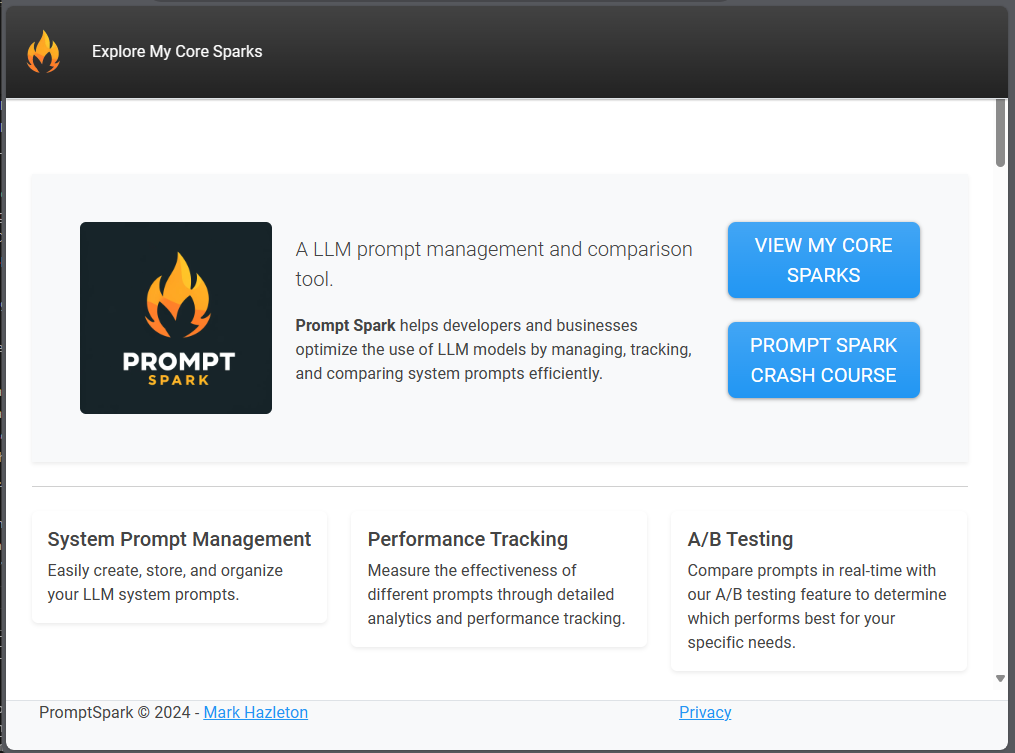
PromptSpark
PromptSpark.Chat is a real-time, workflow-driven chat application built with ASP.NET Core, SignalR, and Adaptive Cards. Users interact with branching multi-step workflows through conversational UI, with optional AI-driven responses via IChatCompletionService.
Working through something similar?
If this maps to something you're working on, I'm glad to compare notes. Start with the system and the constraint that matters most.