Automate GitHub Profile with Latest Blog Posts
Keeping your GitHub profile updated with the latest content can be a tedious task. However, with the power of GitHub Actions and Node.js, you can automate this process, ensuring your profile always reflects your most recent blog posts.
Content Strategy Series — 8 articles
- Mastering Blog Management Tools
- Embracing Azure Static Web Apps for Static Site Hosting
- Moving to MarkHazleton.com
- Automate GitHub Profile with Latest Blog Posts
- Syntax Highlighting with Prism.js for XML, PUG, YAML, and C#
- Canonical URL Troubleshooting for Static Web Apps
- Developing MarkHazleton.com: Tools and Approach
- Getting Started with PUG: History and Future
Filed under How software delivery really works
Topic cluster
Case Studies and Project EvidenceProject writeups, Spark ecosystem applications, content workflows, and lessons from shipped systems.
Streamline Your Workflow by Automatically Updating Your GitHub Profile with Latest Blog Posts
The full source code for GitHub Action is available on GitHub
Introduction
As a developer, I'm always looking for ways to streamline my workflow and share my latest work more effectively. Recently, I updated my blog at markhazleton.com to include an RSS feed using some updated Node.js programming. With this feed in place, I decided to automate the process of displaying my latest blog posts on my GitHub profile using GitHub Actions.
In this post, I'll quickly review the steps I took to create the RSS feed and set up the GitHub Action to update my profile with the most recent blog posts.
GitHub Profile Preview
Implementation Process
Creating the RSS Feed with Blog Admin Tool
To create an RSS feed, I updated my Blog Admin tool to create an XML file with the latest blog posts whenever a new article is published.
For more information about the Blog Admin tool, check out my previous post
Building a Web Application to Manage Your Blog Articles
Here is the updated code snippet from the Blog Admin tool that generates the RSS feed:
public void GenerateRSSFeed()
{
  try
  {
    string rssFeedPath = Path.Combine(Path.GetDirectoryName(_filePath), "rss.xml");
    var recentArticles = _articles.OrderByDescending(a => ConvertStringToDate(a.LastModified)).Take(10).ToList();
    using (XmlWriter writer = XmlWriter.Create(rssFeedPath, new XmlWriterSettings { Indent = true }))
    {
      writer.WriteStartDocument();
      writer.WriteStartElement("rss");
      writer.WriteAttributeString("version", "2.0");

      writer.WriteStartElement("channel");
      writer.WriteElementString("title", "Mark Hazleton Articles");
      writer.WriteElementString("link", "https://markhazleton.com/");
      writer.WriteElementString("description", "Latest articles from Mark Hazleton.");
      writer.WriteElementString("lastBuildDate", DateTime.Now.ToString("r"));

      foreach (var article in recentArticles)
      {
        writer.WriteStartElement("item");
        writer.WriteElementString("title", article.Name);
        writer.WriteElementString("link", quot;https://markhazleton.com/{article.Slug}");
        writer.WriteElementString("description", article.Description);
        writer.WriteElementString("pubDate", ConvertStringToDate(article.LastModified).ToString("r"));
        writer.WriteEndElement();
      }

      writer.WriteEndElement(); // channel
      writer.WriteEndElement(); // rss
      writer.WriteEndDocument();
    }
    _logger.LogInformation("RSS feed generated successfully.");
  }
  catch (Exception ex)
  {
    _logger.LogError(ex, "Failed to generate RSS feed.");
  }
}
Setting Up the GitHub Action
With the RSS feed in place, I created a GitHub Action in my profile repository (#[code github.com/markhazleton/markhazleton]). This action fetches the latest posts from my blog's RSS feed and updates my profile README with the top five articles.
Daily Automation
The Action runs every day at midnight (UTC) and can also be triggered manually. I used the the #[code cron] schedule to run the workflow at a specific time each day. So each night at midnight, the workflow fetches the latest blog posts and updates my profile README.
XML Parsing
It installs #[code xmlstarlet], a command-line XML tool, to parse the RSS feed.
Fetch Posts
It fetches the top five latest blog posts from my RSS feed using #[code curl] and #[code xmlstarlet] and saves them to a file called #[code latest-posts.md].
Update README
It then updates the #[code README.md] by replacing the content between the #[code ] and #[code ] tags with the new posts.
Commit Changes
If the #[code README.md] has been updated, it commits and pushes the changes back to the repository.
Here's the full GitHub Action workflow file that I used to automate my GitHub profile updates with the latest blog posts:
name: Update README with Latest Blog Posts
on:
  schedule:
    # Runs at 12:00 AM UTC every day
    - cron: '0 0 * * *'
    workflow_dispatch: # Allows manual trigger of the workflow
jobs:
  update-readme:
    runs-on: ubuntu-latest

    steps:
    - name: Checkout Repository
      uses: actions/checkout@v3

    - name: Install xmlstarlet
      run: sudo apt-get install -y xmlstarlet

    - name: Fetch Latest Blog Posts
      id: fetch_blog_posts
      run: |
        # Fetch the latest blog posts from the RSS feed
        curl -s https://markhazleton.com/rss.xml | xmlstarlet sel -t -m '//item' \
        -v 'concat("- [", title, "](", link, ")")' -n | head -5 > latest-posts.md

    - name: Update README.md
      run: |
        # Read the latest posts into a variable
        latest_posts=$(<latest-posts.md)

        # Replace the content between the <!-- BLOG-POST-LIST:START --> and <!-- BLOG-POST-LIST:END --> tags
        awk -v latest_posts="$latest_posts" '
        BEGIN {in_blog_list=0}
        /<!-- BLOG-POST-LIST:START -->/ {print; print latest_posts; in_blog_list=1; next}
        /<!-- BLOG-POST-LIST:END -->/ {print; in_blog_list=0; next}
        !in_blog_list {print}
        ' README.md > updated_readme.md

    - name: Check if README.md was updated
      id: check_changes
      run: |
        # Compare updated README.md with the current one
        if ! diff updated_readme.md README.md > /dev/null; then
          mv updated_readme.md README.md
          echo "changes_detected=true" >> $GITHUB_ENV
        else
          echo "README.md is up to date. No changes needed."
          echo "changes_detected=false" >> $GITHUB_ENV
          exit 0
        fi

    - name: Clean up untracked files
      run: |
        rm -f latest-posts.md updated_readme.md

    - name: Commit Changes
      if: env.changes_detected == 'true'
      run: |
        git config --global user.name "github-actions[bot]"
        git config --global user.email "41898282+github-actions[bot]@users.noreply.github.com"
        git add README.md
        git commit -m "Updated README with latest blog posts"
        git push
Testing and Troubleshooting
After setting up the workflow, I ran it manually to ensure it worked as expected. There were a few issues initially with XML parsing and formatting, but those were resolved by tweaking the #[code xmlstarlet] command and the #[code awk] script used for replacing the content in the README.
Runtime Errors and Warnings
Initially, the GitHub Action ran into a couple of issues. The first problem occurred when there were no changes detected in the README.md file, causing the workflow to fail with the message: #[strong nothing added to commit but untracked files present]. This happened because git attempted to commit even when there was nothing to change.
To solve this, I added a conditional check before the commit step. I used #[code diff] to compare the current and updated versions of README.md, and only moved forward with the commit when actual changes were detected.
The second issue was related to a deprecation warning about the #[code set-output] command, which is now outdated and replaced by GitHub's environment files for setting output variables. I refactored the action to use environment files, appending the detected changes to #[code $GITHUB_ENV]. This new method ensures the workflow is future-proof and adheres to GitHub's latest standards for workflow outputs, eliminating both the error and the warning.
Final Thoughts
This GitHub Action has been a great way to keep my GitHub profile updated with my latest content automatically. It not only showcases my recent work but also saves me the hassle of manually updating my profile. If you're looking to automate your GitHub profile or any other repetitive task, I highly recommend giving GitHub Actions a try.
If you have any questions or run into issues setting up a similar workflow, feel free to reach out. I'd be happy to help!
Explore More
- Embracing Azure Static Web Apps for Static Site Hosting -- Discover the Power of Azure for Modern Web Hosting
- Mastering Blog Management Tools -- Creating a Custom CMS for Your Blog
- Migrating to MarkHazleton.com: A Comprehensive Guide -- Streamline Your Blog Migration with Azure and Cloudflare
- Syntax Highlighting with Prism.js for XML, PUG, YAML, and C# -- Enhance Your Code Presentation
- Canonical URL Troubleshooting for Static Web Apps -- Optimize Canonical URLs for Better SEO in Static Apps
Related project evidence

GitHub Stats Spark
Automated GitHub profile statistics generator with AI-powered repository analysis, SVG visualizations, and the pipeline that feeds live repository data to this site.
Powers the repository stats on this site
ReactSpark
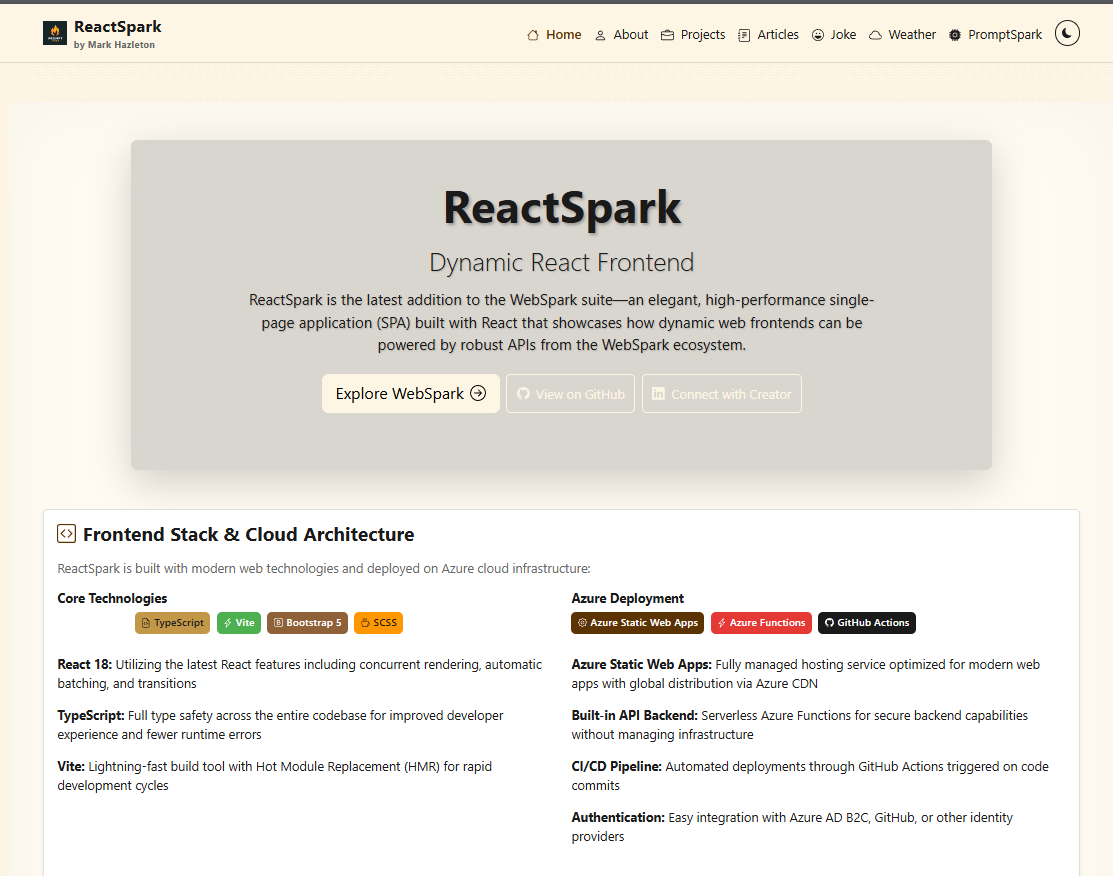
A production-ready developer portfolio built with React 19.1, TypeScript 5.9, and Vite 7.0. Features SignalR real-time chat with AI personalities, live weather widget with Leaflet maps, RSS feed integration, dark/light theming, admin panel, and dual deployment to Azure Static Web Apps and GitHub Pages.

SupportSpark: Compassionate Support Network Platform
SupportSpark is a privacy-focused web application designed to help individuals maintain supportive networks during challenging life moments. Built with React 19, Express 5, and TypeScript, it provides a calm, structured platform for sharing personal journey updates with threaded conversations.
Working through something similar?
If this maps to something you're working on, I'm glad to compare notes. Start with the system and the constraint that matters most.