Learning Python in the Post-Copilot World
A follow-up to my introduction to Python, this article explores how AI coding tools change the way beginners can learn. The central lesson is not to avoid Copilot, but to use it after the problem, requirements, and expected behavior are clear.
Part of the Python and Data Science for .NET Developers series
Phase Foundations, Part 3
Data Science Series — 6 articles
Filed under Pragmatic architecture and modernization
Topic cluster
Python and Data SciencePython, data analysis, visualization, and machine learning foundations from a .NET developer's perspective.
The First Question Is Not About Python
When I learned to program, the path seemed straightforward: learn the language, learn the libraries, write small programs, and gradually become capable of building larger ones. Syntax was the first gate. Before I could make a useful application, I had to spend time learning the rules that let a computer understand me.
That path still works, but it is not the only path available now. GitHub Copilot and ChatGPT can produce a working Python program before a beginner has memorized the difference between a string and a number. They can explain errors, suggest tests, and translate a plain-language idea into syntax. That changes the starting point without removing the need to learn programming.
The important skill is not becoming a walking Python reference manual. It is learning to understand a problem, describe the desired behavior, evaluate an implementation, and recognize when the output is wrong. Python remains the language, but judgment becomes the first tool.
The Learning Sequence
This is the sequence I want to put in front of the syntax:
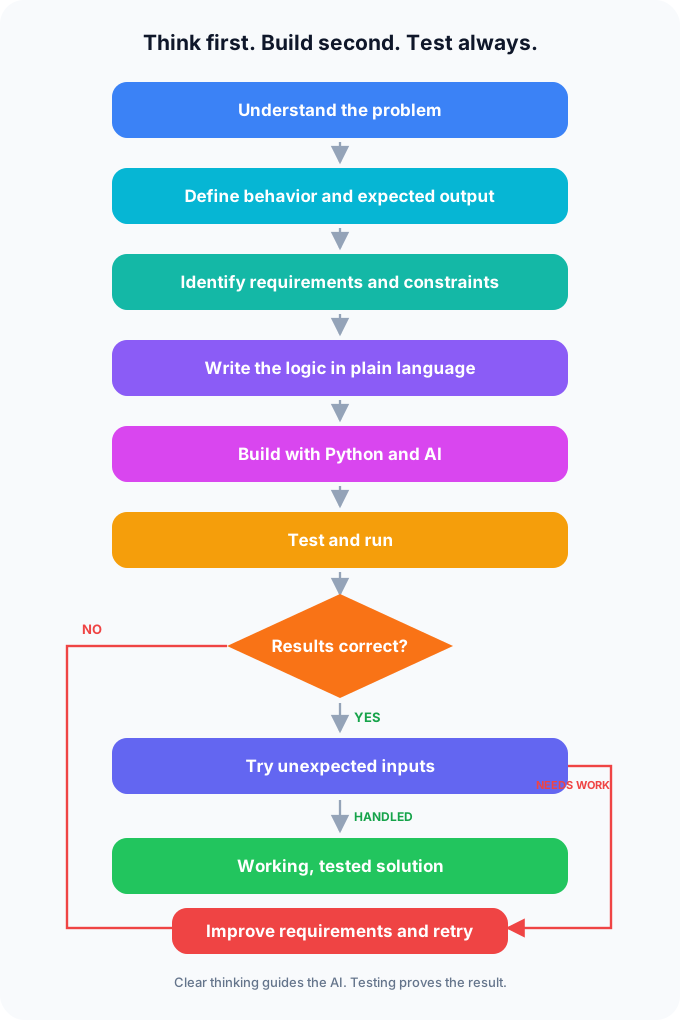
The most important step is often the one people skip: know what the output needs to look like before writing the code. If the expected result is vague, there is no reliable way to decide whether a generated program is correct. A program can run cleanly, look reasonable, and still produce the wrong answer.
That habit came from the Systems Engineering Development Program at EDS. We were evaluated against expected output data sets. Matching the expected output mattered more than writing clever or creative code. The implementation was a means to an observable result, and the comparison between actual output and expected output told us whether the system worked.
That is the muscle worth exercising early. AI tools can make the implementation faster, but they do not define the expected result for us.
From Golden Code to Generated Code
One habit from that program stayed with me: work through the problem until the pseudocode is close to executable before writing the final code.
We also had examples of approved implementations—what we called golden code. If a common pattern had already been solved and reviewed, there was little value in creatively reinventing it. The real work was determining which pattern applied and whether it matched the problem in front of us.
Copilot feels like an extraordinary extension of that idea. It can generate a loop, a conditional, a function, or an entire small program almost instantly. The difference is that generated code arrives without the same guarantee that a reviewed example once carried. It may be plausible without being appropriate. It may satisfy the words in a prompt while missing the behavior the user actually needs.
That distinction is easy to miss because the generated code can be flawless Python. It can compile, run, and still damage the data or decision process around it. Golden code was trusted because people had reviewed it against known constraints. Copilot produces a likely implementation; it does not know whether the implementation is safe for this business context or correct for these edge cases.
That makes the reasoning before generation more important, not less.
Start With a Small Requirement
Imagine Faye, a Rotary Youth Exchange student from Thailand living with a host family in Wichita, Kansas. While she is on exchange, she has chosen to use the American name Faye. She is interested in learning how to write games, and her first computer science class is an introduction to Python. Tomorrow's forecast shows 86°F, but Faye normally thinks in Celsius.
Faye has a playlist that jumps from Thai pop to American country, K-pop, classic rock, and whatever her new friends recommend. She is equally adventurous about food; if someone tells her a dish is worth trying, she is usually ready for the first bite. A temperature converter is not a game, but it is a small first challenge with a real connection to her new life in Wichita.
The first requirement could be simple:
Convert a temperature from Fahrenheit to Celsius and display the result.
That is a useful start, but it leaves several decisions unstated. A more useful version says that the program should:
- Ask the user for a Fahrenheit temperature.
- Convert that temperature to Celsius.
- Display the Celsius result.
- Round the result to one decimal place.
The expected interaction might look like this:
Enter temperature in Fahrenheit: 86

86°F is 30.0°C
Nothing here is Python yet. It is a small specification. It gives us something to implement and something to test against.
The example output is not decoration. It is the beginning of the test data. Before I write the converter, I already know that an input of 86 should produce a Celsius value of 30.0. If the program prints 29.8, omits the degree label, or displays too many decimal places, I have a concrete mismatch to investigate.
For Faye, that feedback loop is the interesting part. A game will eventually need rules, inputs, expected outcomes, and a way to notice when something went wrong. The converter gives her a small version of that same loop before she starts building levels, scoring systems, or a soundtrack selector.
That distinction matters when an AI tool is involved. If I ask Copilot to “make a temperature converter,” it has to invent the missing decisions. If I describe the inputs, output, rounding rule, and example, I have narrowed the space of acceptable answers.
The clearer requirement does not guarantee good code. It gives me a better chance of recognizing bad code.
Pseudocode Keeps the Problem Visible
Before writing Python, I can write the logic in plain language:
ASK the user for a temperature in Fahrenheit
CONVERT the temperature to Celsius
ROUND the result to one decimal place
DISPLAY the result
Pseudocode is useful because it keeps the problem separate from the language. The same logic could become Python, C#, JavaScript, or another language. The syntax changes; the behavior should not.
This is also a useful way to work with an AI assistant. I can ask it to map each line of Python to a step in the pseudocode. That turns generated code into something I can inspect rather than something I merely accept.
The First Implementation Is Intentionally Small
The first implementation is deliberately small. It keeps the interaction and calculation together so a beginner can trace each requirement directly to a line of Python:
fahrenheit = float(input("Enter temperature in Fahrenheit: "))

celsius = (fahrenheit - 32) * 5 / 9

print(f"{fahrenheit}°F is {celsius:.1f}°C")
For an input of 86, the program displays 86.0°F is 30.0°C.
There are several Python ideas here: input receives text, float converts that text to a number, the arithmetic expresses the conversion, and the formatted string controls how the result is displayed. A beginner does not need to memorize every detail immediately, but should be able to ask what each part contributes.
The more important test is still the requirement:
- Did the program ask for Fahrenheit?
- Did it convert the value?
- Did it display Celsius?
- Did it round to one decimal place?
That is software development in miniature. The program is not successful because Python ran without a syntax error. It is successful when its behavior matches the requirement.
Once that behavior is clear, I can separate the calculation into a function. The change is not about adding abstraction for its own sake; it gives the core logic a boundary that a unit test can exercise without simulating keyboard input.
Add a Test Before the Program Grows
Unit tests used to feel like something that belonged to a larger application. With modern tools, there is little reason to postpone them. A small test gives a beginner a second way to read the program: not just as instructions for the computer, but as a statement of what the program is expected to do.
The converter is now ready for that next step. Separating the calculation into a function lets the test focus on behavior rather than keyboard input:
def fahrenheit_to_celsius(fahrenheit):
    return (fahrenheit - 32) * 5 / 9


fahrenheit = float(input("Enter temperature in Fahrenheit: "))
print(f"{fahrenheit}°F is {fahrenheit_to_celsius(fahrenheit):.1f}°C")
Now the expected result can be expressed directly with Python's built-in unittest library:
import unittest


class TemperatureConversionTests(unittest.TestCase):
    def test_freezing_point(self):
        self.assertAlmostEqual(fahrenheit_to_celsius(32), 0.0)

    def test_thai_exchange_student_example(self):
        self.assertAlmostEqual(fahrenheit_to_celsius(86), 30.0)


if __name__ == "__main__":
    unittest.main()
The test is not merely checking whether Python can perform arithmetic. It records the expected output data for two known inputs. When the implementation changes, the test gives us a fast comparison between what we intended and what the code now produces.
This is an ideal place to use Copilot. Ask it to explain assertAlmostEqual, suggest another meaningful test case, or show how to organize the files. Keep the expected values under human control. The assistant can help write the test, but it should not be allowed to quietly decide what “correct” means.
If the same assistant writes both the implementation and the expected values, it can produce a test that confirms its own mistaken assumption. The human should define the expected result, choose the meaningful edge cases, and use the assistant to help express those decisions in Python. Otherwise, the test is grading the assistant's homework with the assistant's answer key.
Use AI to Expose the Gaps
At this point, Copilot can be useful in several ways. I might ask:
Explain this Python program one line at a time for someone new to programming.Or:
Show which line of Python corresponds to each step in my pseudocode.Those prompts connect the implementation back to the reasoning. They are more useful for learning than asking an agent to generate a replacement program immediately.
ChatGPT can help even earlier in the process:
I want to build a simple temperature converter in Python. Do not write code yet. Ask me questions that will help define how the program should behave.The questions may reveal decisions about two-way conversion, repeated inputs, precision, and invalid values. These are requirements questions rather than Python questions, but they shape the program more than the syntax does.
Faye could use the same habit for a first game: What does the player control? What counts as a win? Should the game offer a Thai dish, a Wichita favorite, or a song from a rotating playlist? Those details are not distractions from programming. They are the raw material that makes a program worth building.
Break the Program on Purpose
Now enter hello instead of 86.
The program crashes because float cannot convert that text into a number. The error is not just a failure. It is evidence that the specification was incomplete.
We described the normal path, but never said what should happen when the input is invalid. A revised requirement might be:
If the user enters something that is not a number, display a friendly error message instead of terminating with an unhandled exception.
This is a better reason to learn another Python feature. The problem leads us to error handling. We are not studying a try statement because it happens to appear in the next chapter. We need it because the program now has a behavior it must support.
That distinction can make learning feel less like collecting language features and more like building a mental model of software.
AI is particularly useful here when it is asked to explain before it fixes:
My program crashes when I enter hello. Explain why, but do not fix it yet.Then:
Give me a hint about the Python feature that could handle this. Do not provide the complete solution.The learner still has to connect the explanation to the problem. That small amount of productive friction is worth preserving.
Once the requirement is clear, the implementation can stay small:
try:
    fahrenheit = float(input("Enter temperature in Fahrenheit: "))
    celsius = (fahrenheit - 32) * 5 / 9
    print(f"{fahrenheit}°F is {celsius:.1f}°C")
except ValueError:
    print("Please enter a number, such as 86.")
The code is less important than the connection between the requirement and the behavior. The try block handles the normal path, while the except block gives the invalid-input requirement an observable result. A beginner can now ask whether the message is clear, whether the program should ask again, and whether the same approach still makes sense if the converter becomes a reusable function.
What Beginners Still Need to Learn
AI tools change the amount of syntax a programmer needs to hold in memory. They do not eliminate the need for concepts.
A learner should understand what a variable represents, how a condition changes control flow, why a loop repeats, what a function isolates, and how collections hold related values. The exact spelling of every method can be looked up. The behavior those methods produce still needs to be understood.
The same applies to libraries. A beginner may not remember every pandas operation or every argument accepted by range. That is fine. The learner does need to recognize whether a transformation makes sense, whether a result is plausible, and whether an operation changes the data in an unintended way.
Suppose an assistant generates a data-cleaning step that removes every row containing a missing value. The code may run and the resulting table may look tidy, but the analysis could now exclude the very cases worth investigating. The useful question is not whether the assistant used a valid pandas method. It is whether removing those rows matches the purpose of the analysis and how much evidence was lost.
This is where my C# background remains useful. Strong typing and compiler feedback taught me to respect explicit contracts. Python's flexibility creates a different set of questions: what type is this value right now, what assumptions does this notebook cell rely on, and what happens when the input is not as clean as the example?
The tools differ. The habit of asking what the program is actually doing transfers well.
The Developer's Contribution
If Copilot can write the code, what does the developer contribute?
The developer understands the problem. The developer can describe the intended behavior, identify assumptions, notice edge cases, evaluate alternatives, and verify the result. The developer decides whether the generated implementation is appropriate for the context.
That responsibility does not disappear when the code was produced by an assistant. “Copilot wrote it” describes a tool interaction, not an engineering decision.
The standard I try to apply sounds different:
I used Copilot to help implement this. I understand what it does, I tested the important behavior, and I am satisfied that it meets the requirements.
That standard is demanding enough for production work and clear enough for a beginner to practice on a temperature converter.
As a developer, I no longer have much of an excuse for skipping that discipline. Not knowing the exact syntax is no longer a serious barrier when an assistant can explain or generate it. Lack of time is a weaker argument when requirements, tests, and a first implementation can be created together in minutes. The tools do not guarantee that I will do the right thing, but they remove two common reasons for not trying: I did not know how, and I did not have time.
The responsibility has moved upstream. I need to know what the output should be, define how I will recognize it, and build those checks into the first version. Doing it right from the beginning is no longer reserved for the end of a project, when there is finally time to clean things up.
This is not a shortcut around learning. It is a way to put judgment into the learning process earlier. The beginner still needs to understand variables, functions, data structures, testing, and the rest of the language. The difference is that each concept can arrive in response to a real problem rather than as an isolated item on a syllabus.
Explore More
This article follows the foundation established in the Python and Data Science series:
- Python: The Language of Data Science — how a C# developer adjusts to Python's exploratory workflow.
- Data Science for .NET Developers — the broader shift from rules-based application development toward uncertain data problems.
- When the First Visualization Answers the Wrong Question — why testing the result includes questioning the story a chart appears to tell.
Python is the language in this example, but the deeper lesson is about where development begins. The most valuable first step is not asking an assistant for code. It is making the problem clear enough that both the human and the assistant can tell whether the code is doing the right thing.
Example input
32Related project evidence

GitHub Stats Spark
Automated GitHub profile statistics generator with AI-powered repository analysis, SVG visualizations, and the pipeline that feeds live repository data to this site.
Powers the repository stats on this site
ReactSpark
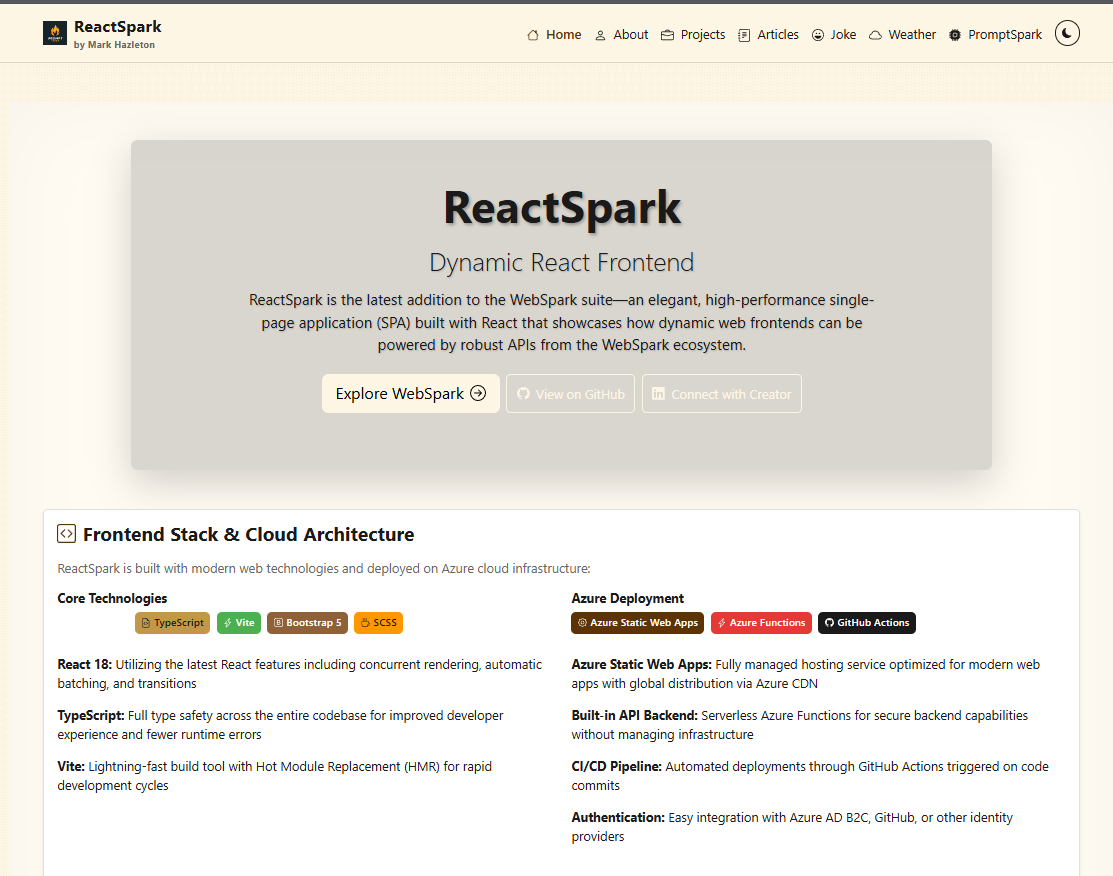
A production-ready developer portfolio built with React 19.1, TypeScript 5.9, and Vite 7.0. Features SignalR real-time chat with AI personalities, live weather widget with Leaflet maps, RSS feed integration, dark/light theming, admin panel, and dual deployment to Azure Static Web Apps and GitHub Pages.
ArrowSpark
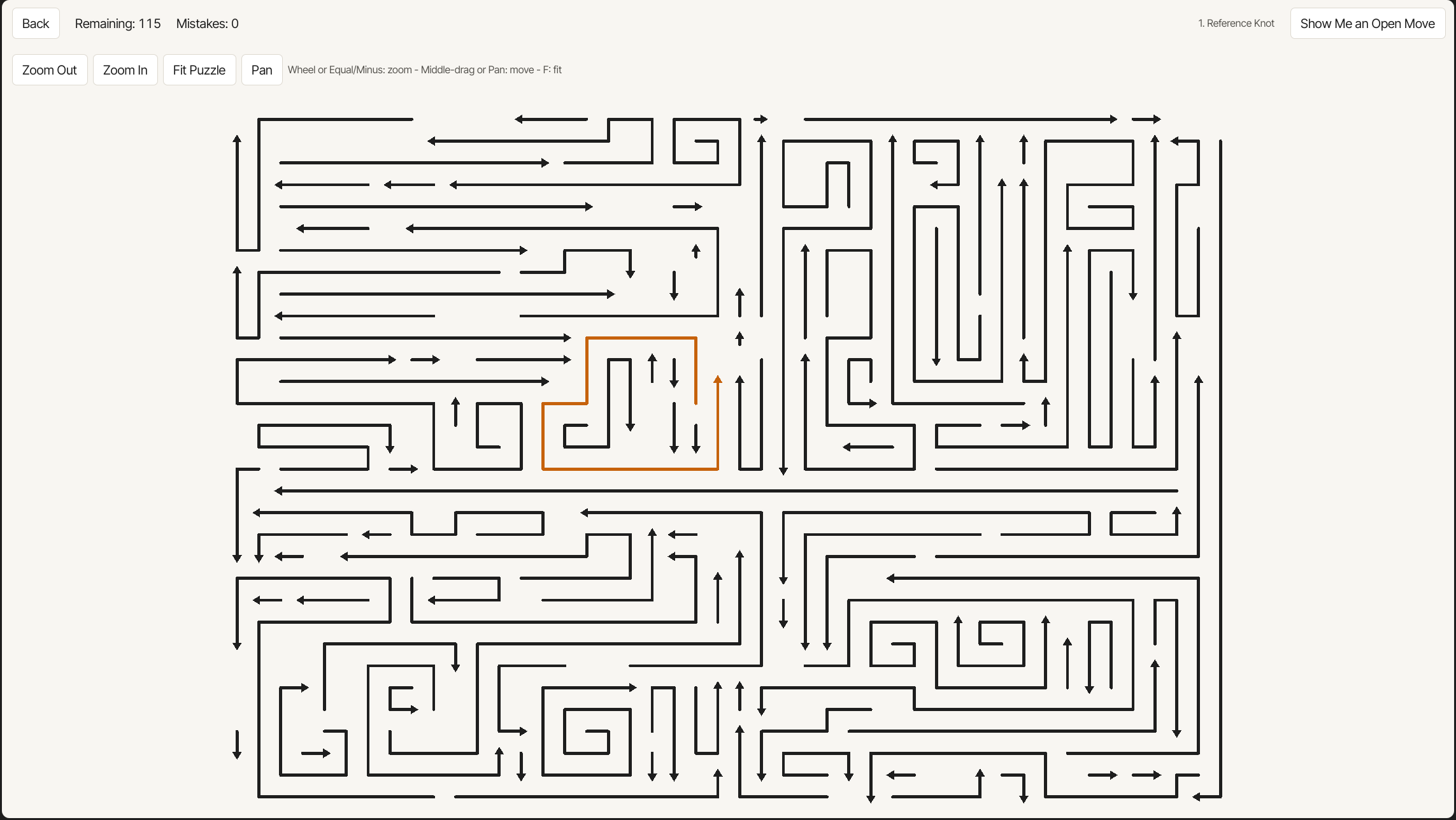
An ad-free arrow puzzle game with no lives and no waiting. Every puzzle is checked so it can be hard but never unsolvable.
Working through something similar?
If this maps to something you're working on, I'm glad to compare notes. Start with the system and the constraint that matters most.